What changes in 5.7
Planetary bases are built entirely by players, on real ground, and they are permanent. That single change pulls several others along with it.
Where you build matters. Not as a preference — as a cost, a view, a defensive position and, later, as access to things that can only be reached from certain places. Choosing a site is a decision with consequences you will discover over time.
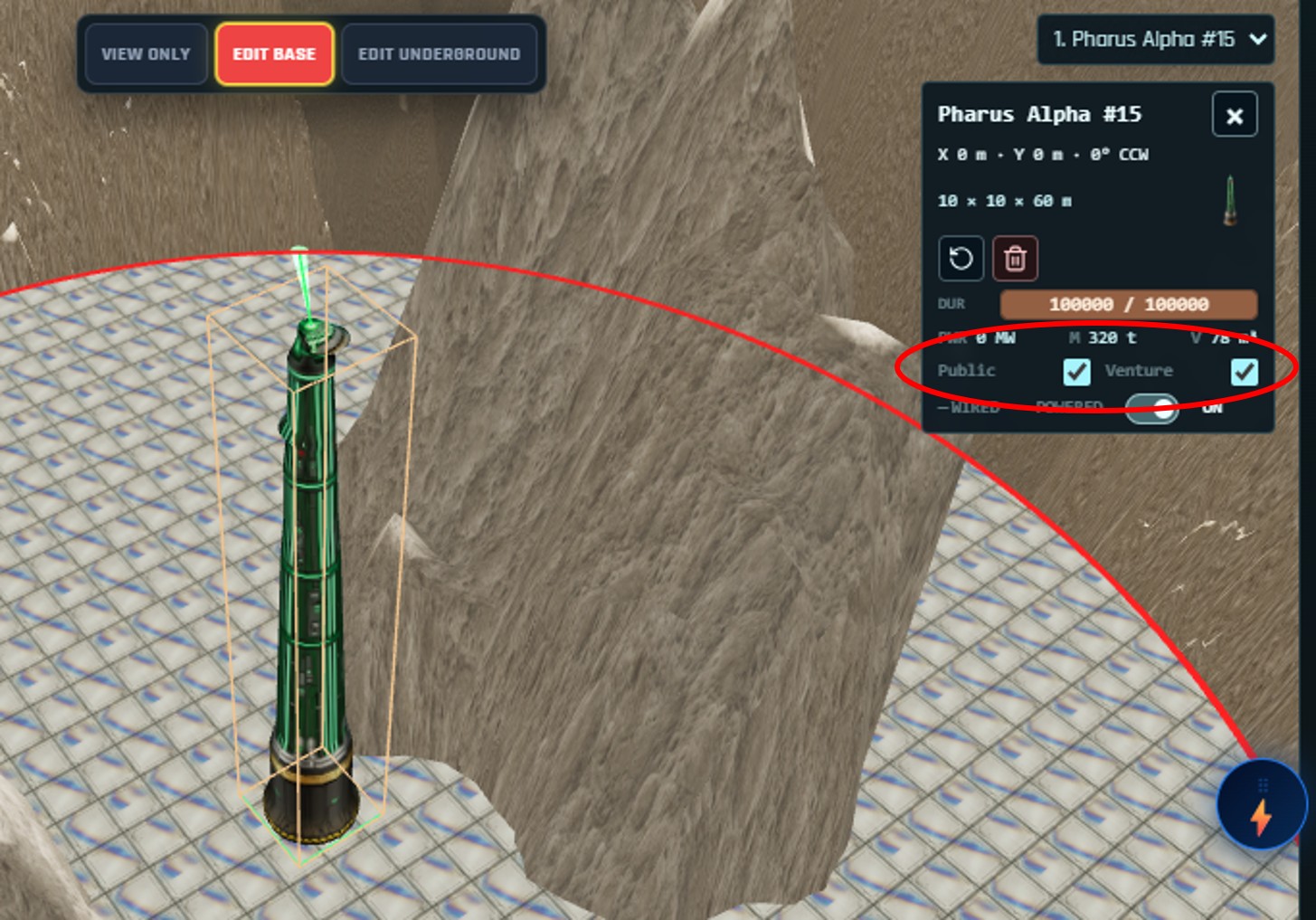
A base is shared space. It is yours, but you choose who else can use it: keep it private, open it to your venture, or open it to everyone. Other pilots can land at a base that invites them.
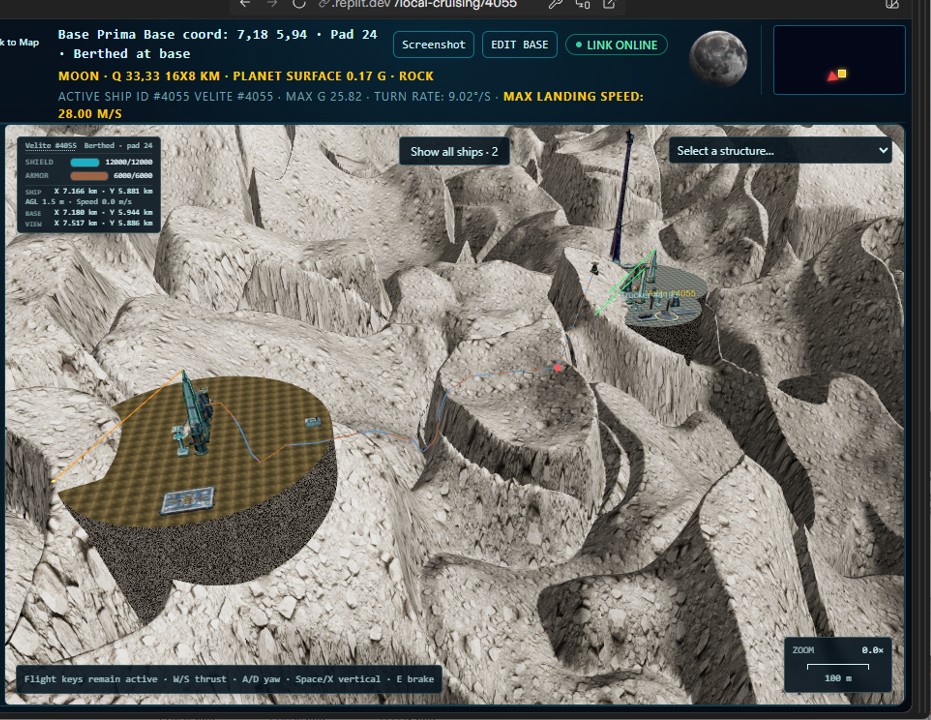
And it is all rendered in 3D, in real time, with other people in it. You fly to your base, descend, land on your own pad, and watch other ships arrive and leave while you are standing there. The ship models are still crude and we know it — what matters is that the engine underneath is finished and running. Better models from here are a matter of time.
This guide
Before you start
Four things, and it is worth having all of them before you set off rather than discovering the gap halfway through.
- A pilot you can spare. Buying the licence and placing the structures takes a pilot travelling to specific places.
- A hauler. The Pharus Alpha alone folds down to 77.5 m³, and a complete starter base is about 143 m³ of cargo. A Trucker carries that in one trip; smaller hulls will need several.
- Funds in both currencies. Modules cost a mix of UNc and 0Gc, and the ground itself costs more than any single module if you choose a dramatic site.
- Somewhere to build. You can only buy land in a published quadrant. See below.
How land works
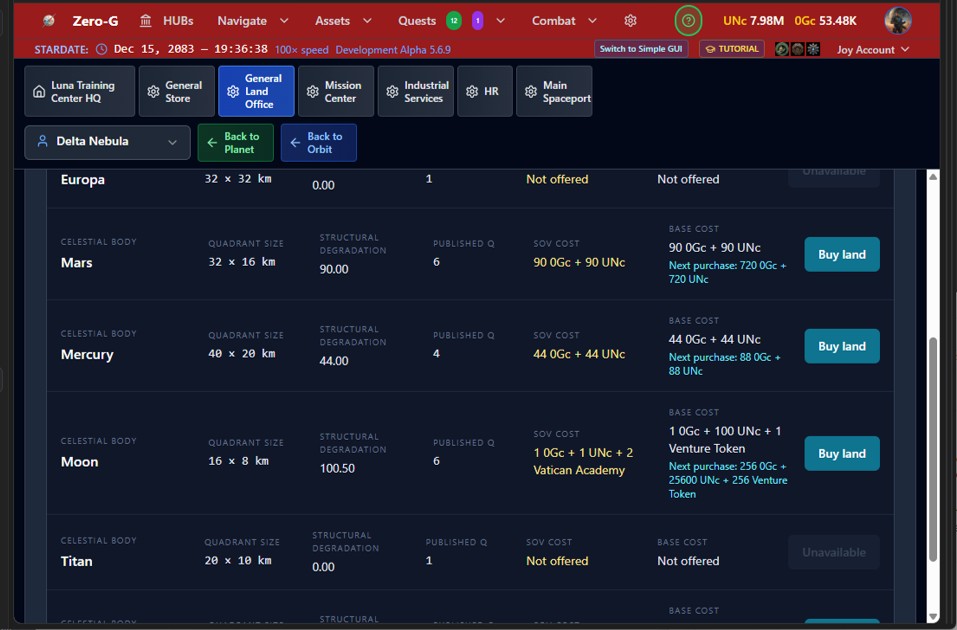
Land is sold as a licence, from a General Land Office. There are two at the moment: one at the Moon HQ and one at Ceres Ophir Port.
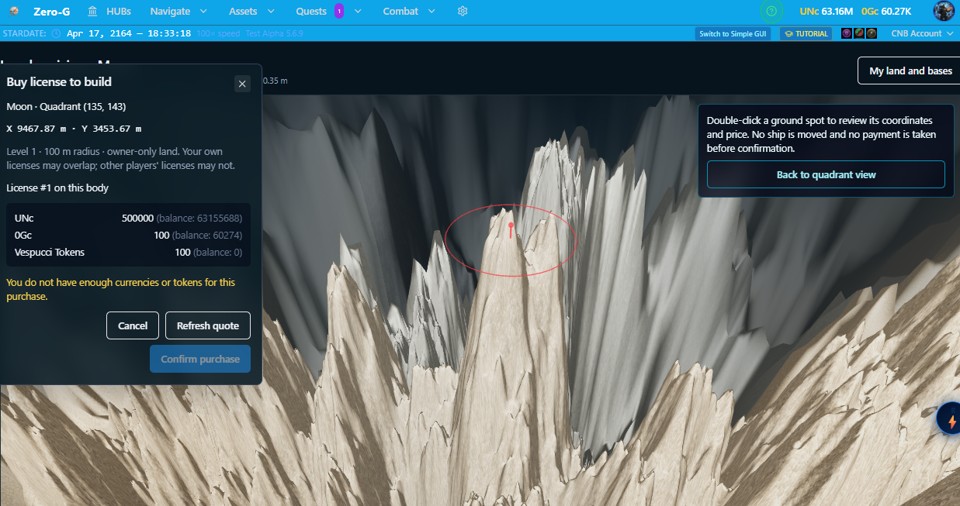
A licence grants you a circle 100 metres across, at coordinates you choose yourself. It is owner-only land: your own licences may overlap each other, another player's may not overlap yours.
Published quadrants
You can only buy land in a quadrant that has been published — and a quadrant becomes published when a pilot fully surveys it and sells that survey data to a land office, making it public for everybody.
So every piece of land that anyone can ever buy exists because another player went and found it first. The richer the ground, the more that survey is worth — which means every surveyor has a choice to make between publishing a good quadrant and keeping quiet about it to mine it alone.
If the body you want has nothing available, nobody has published anything there yet. Surveying it yourself is how that changes.
Prices rise as you buy
Each additional licence on the same planet costs double the one before it. Nobody is buying a planet. Plan your claims before you spend.
Prices also differ by body. The Moon is usually the cheapest, which makes it a sensible place to learn on without committing a fortune.
Step 1 · Buy a land licence
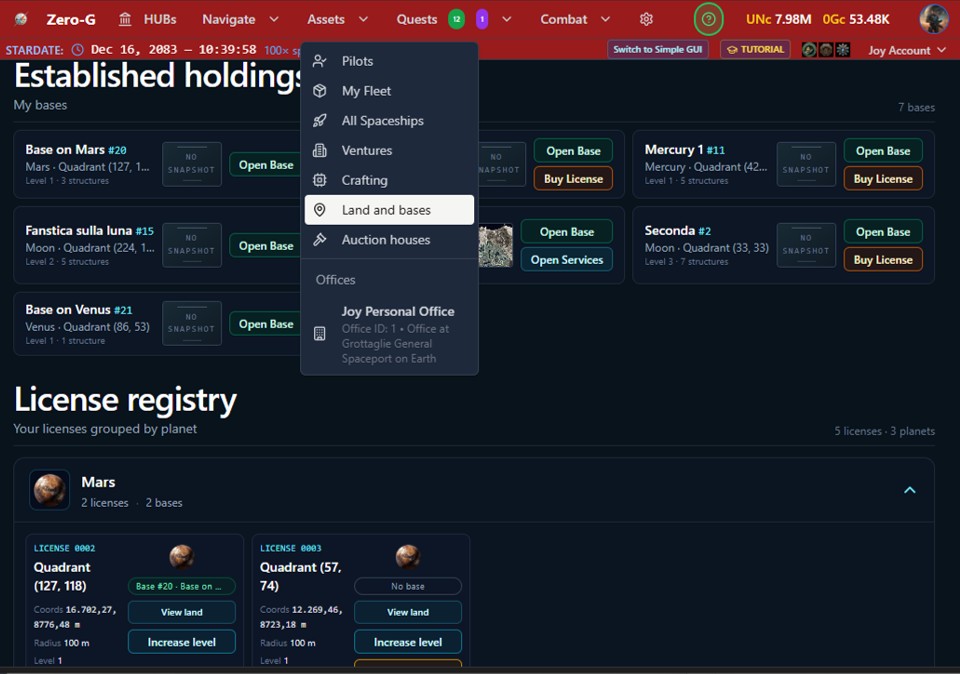
Send a pilot to a General Land Office — the Moon HQ or Ceres Ophir Port. Look at the available bodies and their prices, then work inward: choose the planet, choose a published quadrant, then choose the exact spot inside it and buy the licence for that 100-metre circle.
Which location is best?
This is a game inside the game, and most of it is yours to work out. Three things we will tell you:
Relief costs money. The platform your base stands on has to be made level, so the more the ground varies inside your circle, the more material has to be packed around it. A flat plain or an ice field is cheap. The side of a tall mountain is not.
Expensive ground is not wasted ground. A base on a high peak costs a fortune and looks extraordinary — and anyone who sees it knows what it cost. It is also harder to reach, which cuts both ways: harder to land on, and easier to defend when something hostile arrives. Flat is sensible. High is a statement, and sometimes a tactic.
The terrain type decides what is underneath. Different quadrant terrains hold different rare compounds. Learning which ground is worth standing on, for reasons other than the view, is experience you accumulate.
And more will come. Base offices will offer missions in a future release, which will make some things possible from a well-placed base that are not possible at all today. If you want hints before everyone else, they tend to appear on Discord first.
Step 2 · Buy a Pharus and carry it to orbit
A licence marks your land. A Pharus claims it.
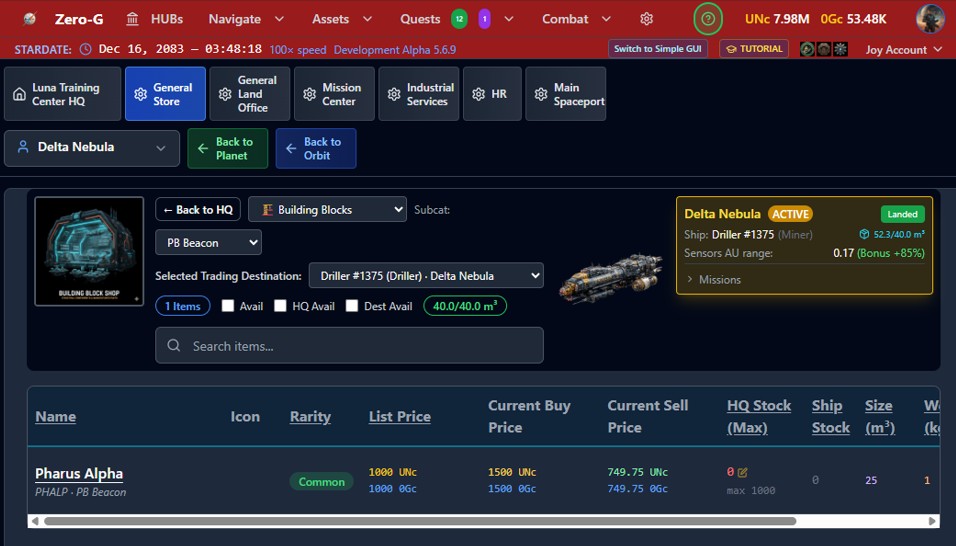
Go to the General Store at Grottaglie and buy a Pharus Alpha. At launch this is the only place that stocks base modules.
It needs 77.5 m³ of ship bay, so bring something with room — a Trucker will do it comfortably, and will also carry the rest of your starter base in the same trip if you buy everything at once.
Then fly to the orbit of the body where you bought your licence.
Step 3 · Place the Pharus
This is the decision that costs the most money in the whole process, so take your time over it.
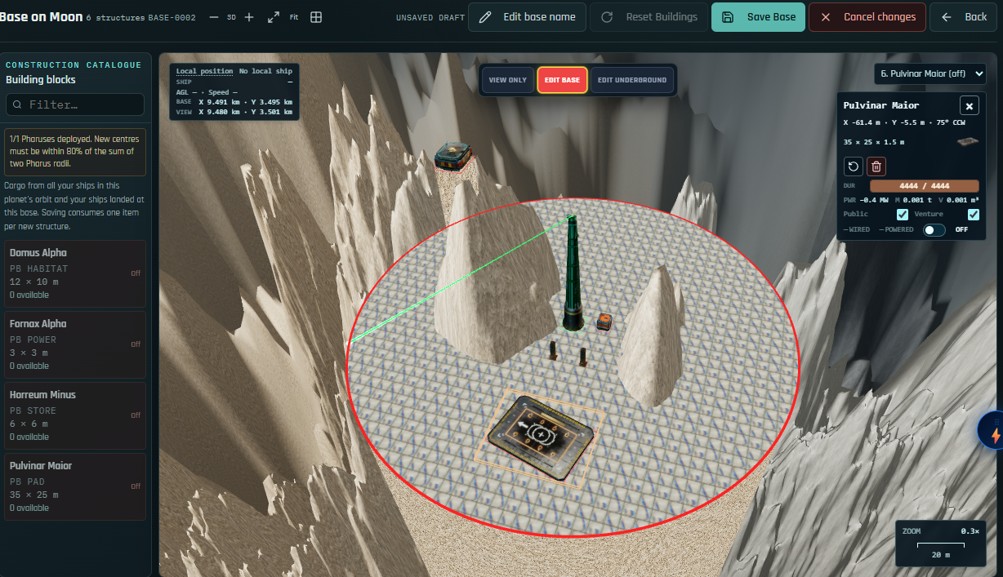
You are now in the 3D view of your land. Drag the Pharus from the left column onto the ground, and move it anywhere inside your red circle. As you move it, watch the cost estimate at the bottom left: it changes with the amount of terrain that has to be filled to make your platform level.
When the Pharus is placed, it lays a platform 100 metres across around itself. Everything below that level gets filled in. Anything higher stands through it.
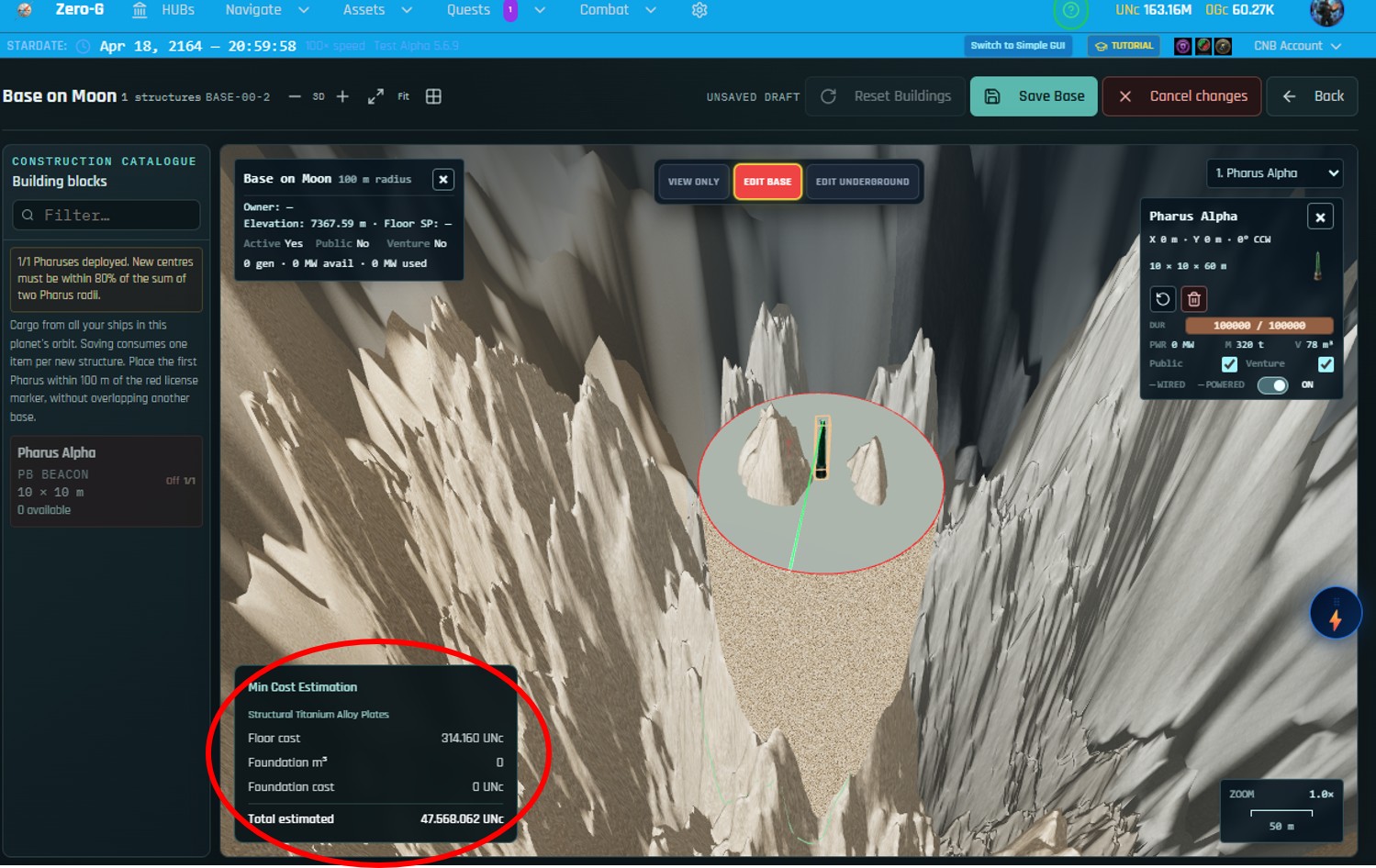
If the number frightens you, move the beacon. You have a hundred metres of choice, and the cost can vary by orders of magnitude inside it. Pick a flat surface for your first base and the platform will be close to free.
Choosing your floor
When you save, you choose what the platform surface is made of, and confirm payment. Floor types differ in cost and in appearance, and the better ones are sturdier — which matters later, because a better floor reduces what maintenance and re-cabling cost you down the line.
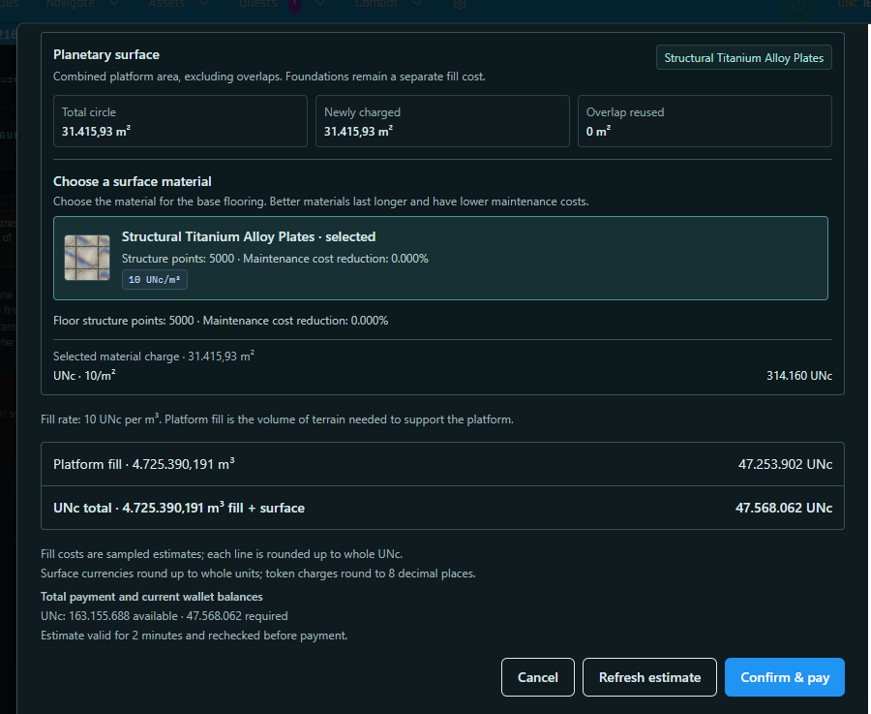
At this point your base exists and is active. The Pharus powers itself — it needs no reactor and no cable.
Step 4 · Install your structures
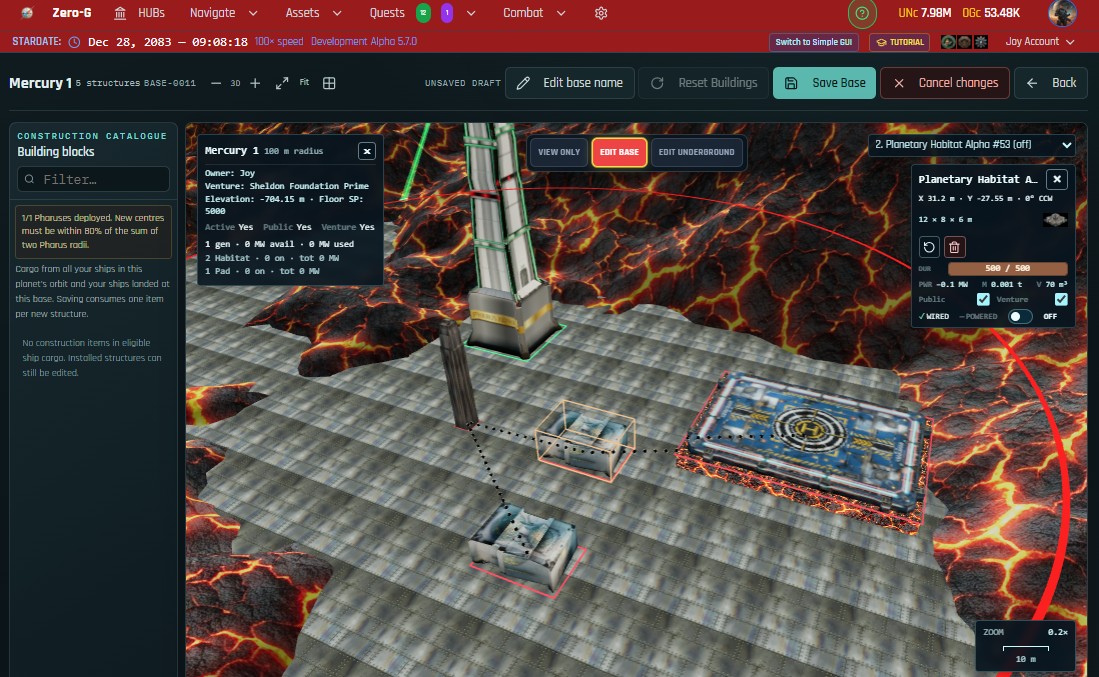
A base needs four things to actually work: power, a habitat, a landing pad and a store.
The smallest working configuration is one of each:
| Module | What it does | Power | Cargo |
|---|---|---|---|
| Fornax Alpha | Reactor — powers everything else | +500 kW | 9.5 m³ |
| Domus Alpha | Habitat — shelters 1 pilot, carries the base services | 100 kW | 26.8 m³ |
| Horreum Minus | Store — 150 m³ of warehouse space | 100 kW | 14.7 m³ |
| Pulvinar Medium | Landing pad — 20 × 10 m | 140 kW | 14.1 m³ |
| With the Pharus Alpha | 340 / 500 kW | 142.6 m³ | |
That fits one reactor with a little to spare, and fits one Trucker.
The pad is the choice worth thinking about
A Pulvinar Medium at 20 × 10 m will berth a Driller, but not a Trucker and not a Caronte. It is enough to start with.
A Pulvinar Maior at 35 × 25 m takes almost every ship in the game, Truckers included — but it draws 400 kW, which one Fornax Alpha cannot carry alongside a habitat and a store. You will need a second reactor.
Two Fornax Alphas are considerably cheaper than one Fornax Maior and give you 1 MW instead of 2. The larger reactor costs more per kilowatt and earns it back in platform space and hauling, which only starts to matter once your base is crowded. Start small, upgrade the pad as soon as you can afford it.
To install anything, buy it, carry it to orbit, and place it exactly as you placed the Pharus.
Step 5 · Wire and power the base
Buildings do not run because a reactor is nearby. The power has to physically reach them.
Choose Edit Underground for a top-down view with your generators highlighted in blue. Click wire, then connect a generator to a structure.
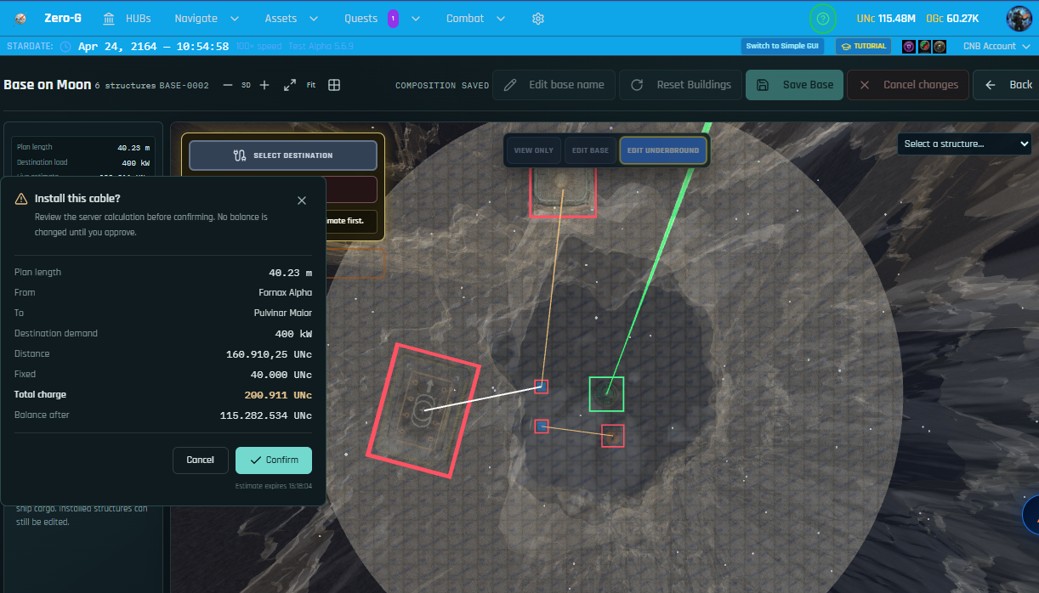
Cabling is expensive, and the layout is the game. A cable's price depends on its length and on the power drawn at the far end — so the direction you run it matters as much as the distance. Try several arrangements and read the estimate before confirming any of them.
Star, chain, or a mix
You can run every structure back to one reactor in a star, or chain them one to the next in a line, or combine the two.
A chain is cheaper. It is also more fragile: if a structure in the middle goes off, everything after it loses power too.
A star costs more and fails gracefully. One building going dark takes nothing else with it.
And because moving a building means wiring it again, the layout you choose now has a cost later. A better floor material reduces what that re-wiring costs — which is the reason to spend on the floor.
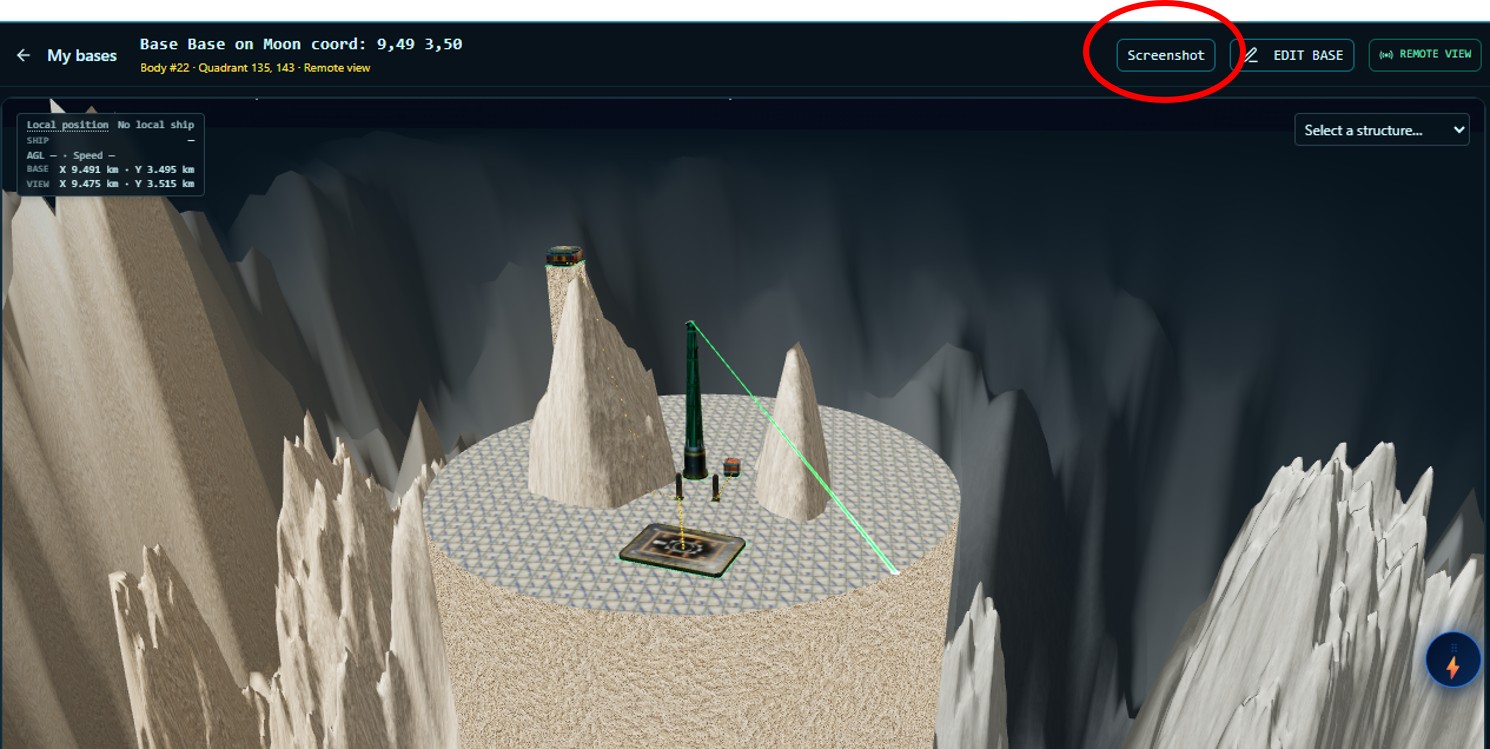
Step 6 · Land at your base
If you have never flown a planetary descent before, learn that first — the cruise and landing tutorial covers it in four and a half minutes. Landing at a base uses the same controls.
You cannot lose a ship landing at a base. Missing the pad, or coming in too fast, takes your shields down first and then your armour, scaled by the mass and speed of the ship exactly as cruise does. Armour stops at 1. There is no destruction. Go and try it.
Two ways to arrive
With a Semita Alpha installed, you can drop straight from orbit into the landing approach without cruising there at all. Find the base in the quadrant page, click it, and the card tells you whether auto-cruise is available.
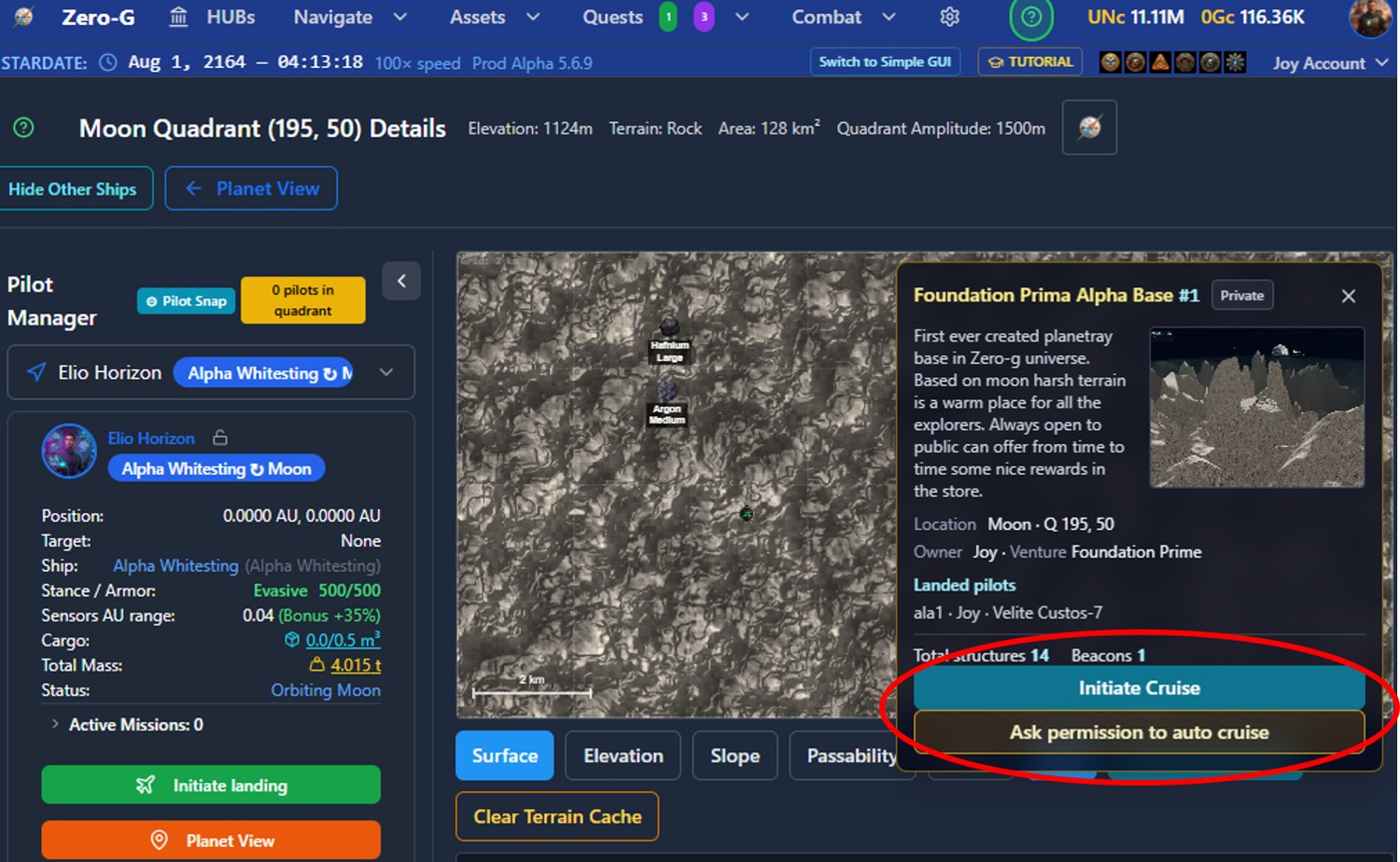
Without one, fly to the area in normal cruise mode, and when the base Pharus appears in your right-hand view, double-click it to enter the local 3D navigation around the base.
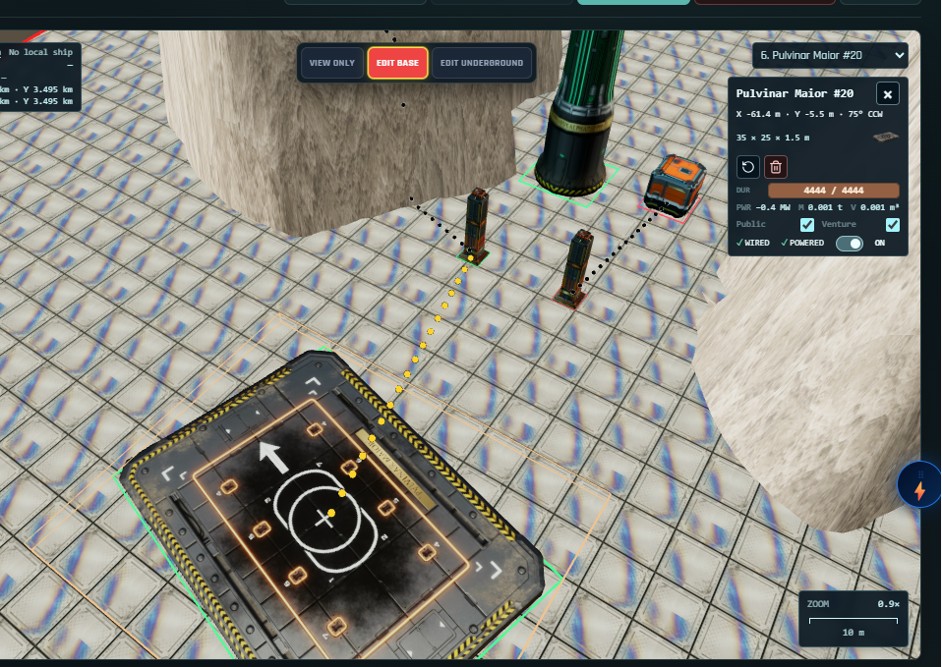
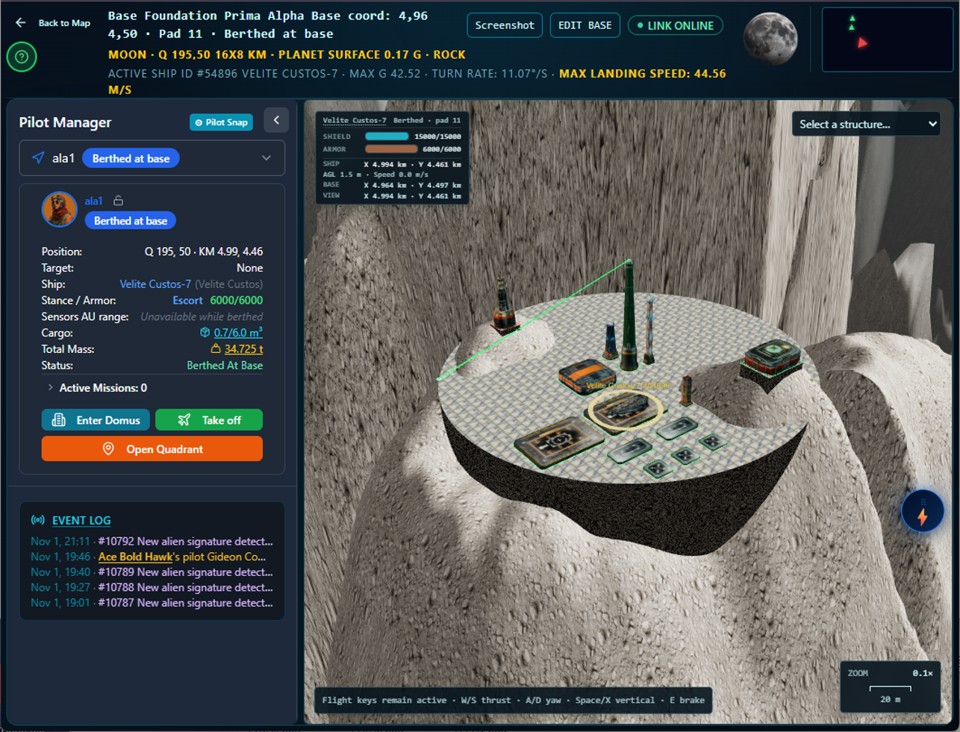
You will be assigned a pad. Use the usual cruise controls — WASD to move, Q to stabilise, E to brake, V for constant descent — and set down on the pad you were given. When the pad number turns green you are properly berthed, and the base habitats open to you.
Using your base
When your pilot is landed and has entered a habitat, the base services open. Some are live now and others arrive in later releases. Two matter from day one.
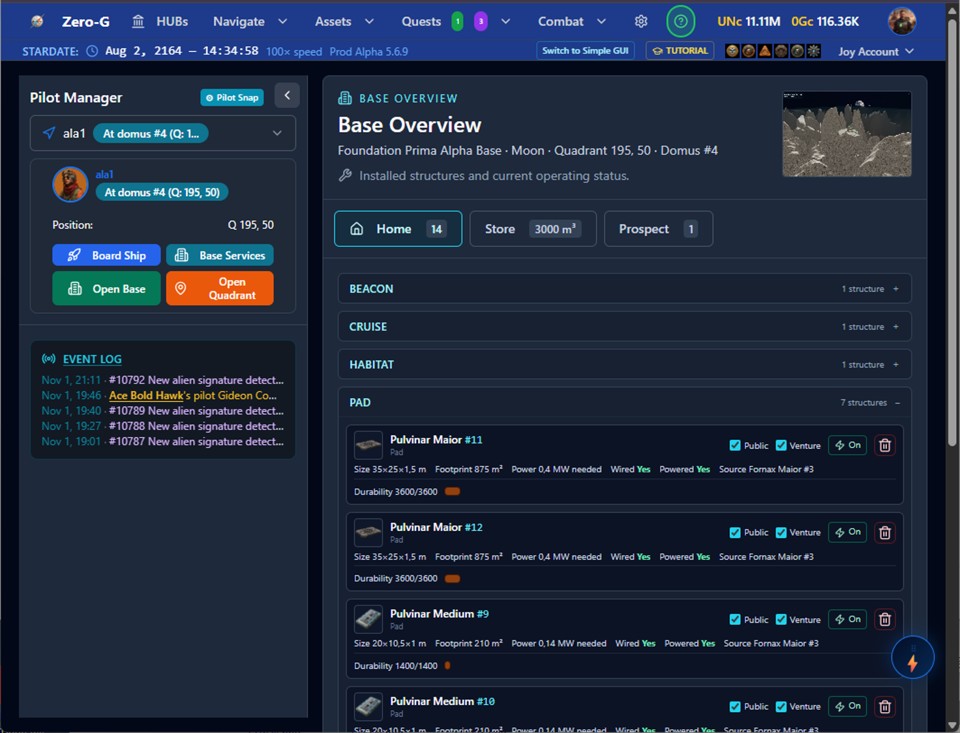
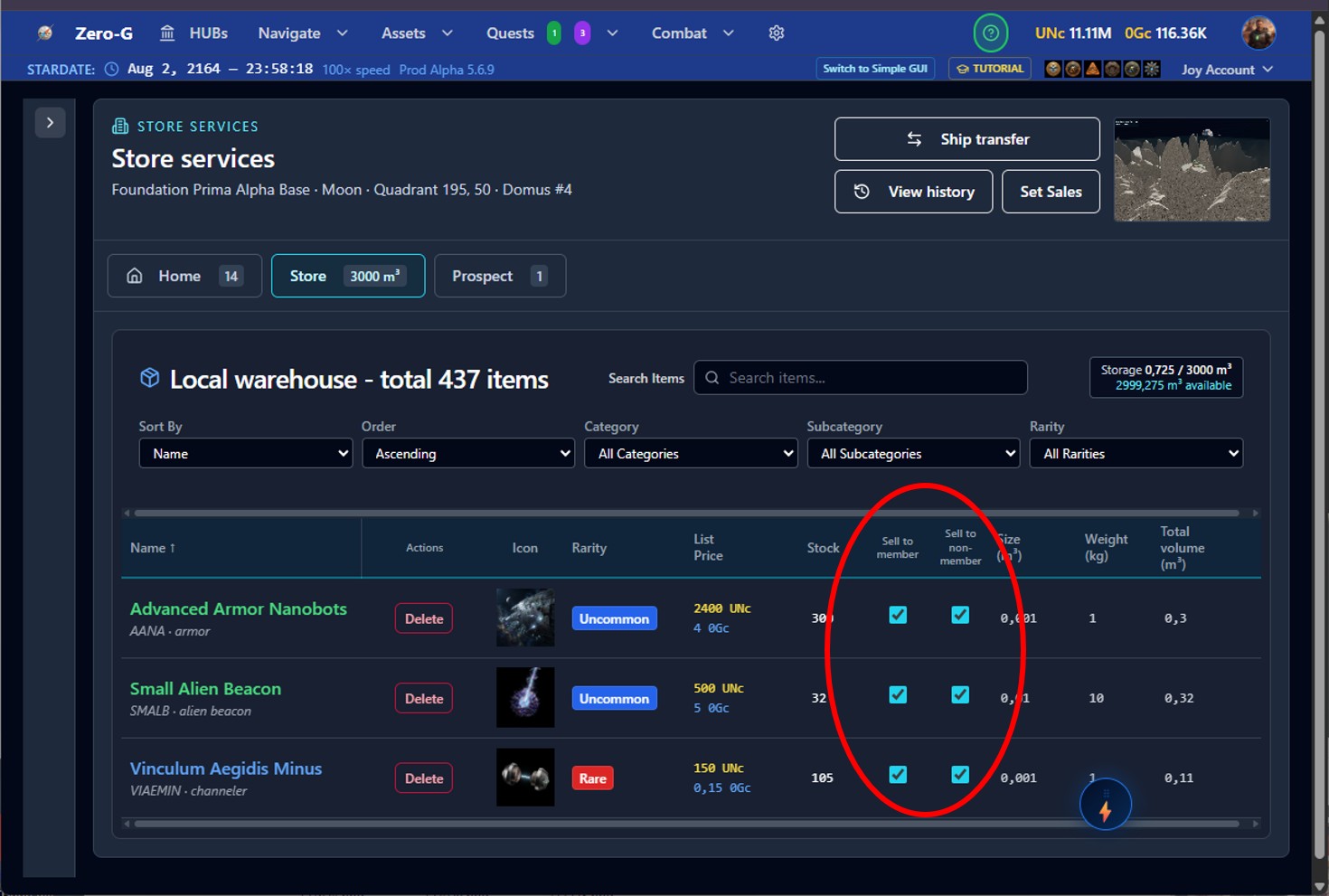
Home shows you everything the base contains and lets you change the settings of each structure individually. If you make a pad non-public, for instance, it is reserved for you even on an otherwise open base.
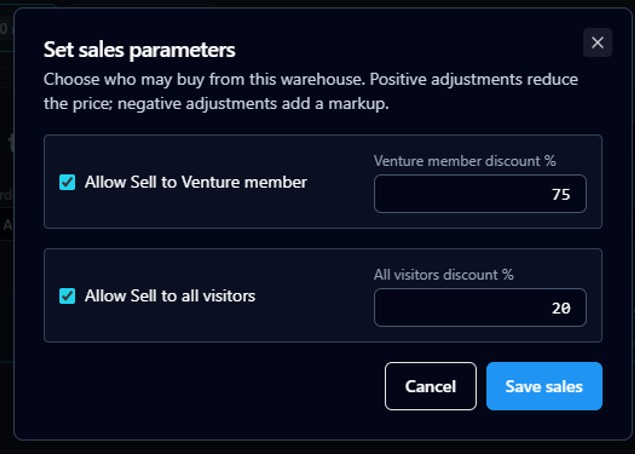
Store is your local personal office storage. You can drop items there — and you can mark each item individually as sellable, and set its discount.
Expanding your base
A base grows as far as your funds allow. Check your Assets and Bases page: the Increase level button buys you an additional Pharus and extends the base.
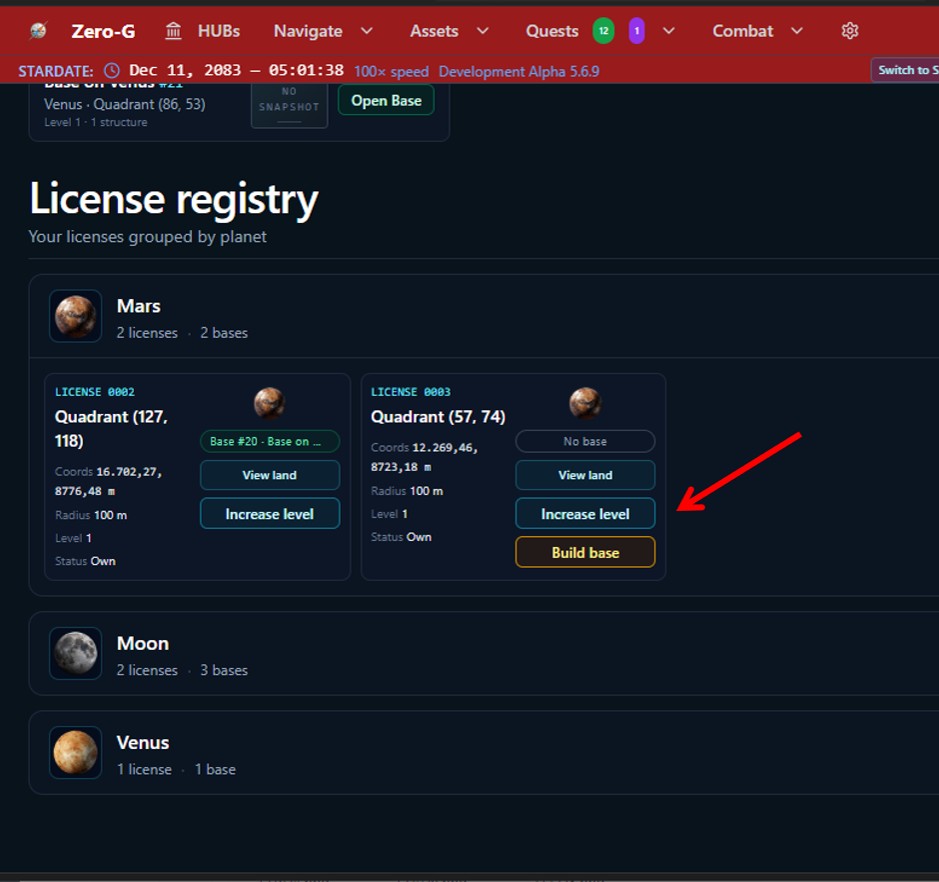
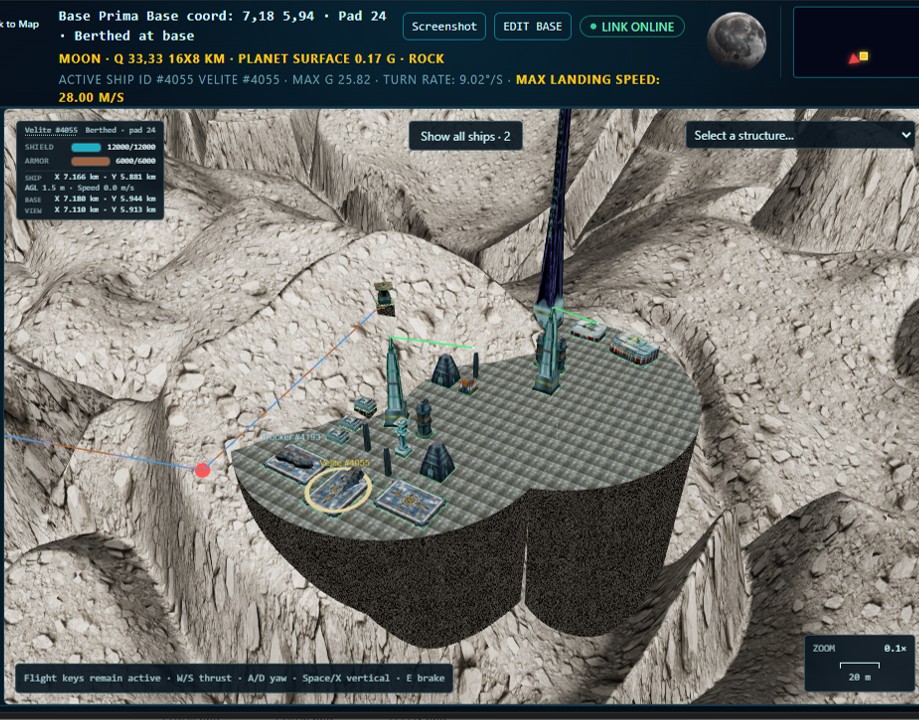
It works like building a new base: you pay for the additional licence, then place the new Pharus. The one rule is that the new platform must partially overlap an existing one, or it will not place.
You will have neighbours
Zero-G is one universe, shared by everyone. Other players can build near you — to share services, to be near the same resources, or to compete for them. A base is not a private instance. It is a place, in a landscape, with other people in it.
If something goes wrong
| What you see | What it means |
|---|---|
| A red border round a structure | It is built but not powered. Wire it in Edit Underground, then switch it on from the base edit page. Green means working. |
| The platform cost is enormous | You have picked dramatic terrain. Move the Pharus within your circle and watch the estimate — flat ground costs a fraction as much. |
| Your ship took damage landing | You missed the assigned pad or came in too fast. Shields absorb it first, then armour, and armour stops at 1. Go around and try again. |
| No land is available on the body you want | No quadrant there has been published yet. Someone has to survey it and sell the data first — and that someone can be you. |
| You cannot place a second Pharus | The new platform has to partially overlap an existing one. |
| You bought a Pharus and cannot carry it | It folds to 77.5 m³. Bring a Trucker, or make several trips. |
| A structure will not switch on | Your reactors do not have the capacity. Check the power figures on the base card and add a Fornax. |
What is coming next
Income from your base. Deep core automatic mining systems are built and finished — we are holding them back so they get a release of their own, because there is a great deal more to them than a single module. That is the next thing that happens to bases.
Prospecting towers, which find and extract rare compounds in the ground around your base, and faction hyperlinks, which let you take faction missions without leaving home.
Craftable modules. Base structures are bought today. Later you will be able to build them.
Ventures claiming quadrants. Player-owned ventures will be able to claim sovereignty over a whole quadrant and build structures on the scale of the current HQs, providing industrial services and bonuses to every member with a base in that quadrant.
Maintenance. Real structures wear, and in time bases will need maintaining — more so on worlds with harsh conditions, extreme cold or heat or turbulence. Nothing decays today. When it does, it will be documented before it arrives, not after.
One more thing
Planetary bases are here to stay and they are going to carry a large part of this game. We are still at the point where the shape of them can change, which is the best moment to tell us what you think.
Ideas, suggestions, complaints and arguments are all welcome, and the place for them is our Discord.
Play Zero-G Join the pilots on Discord
A full video tutorial follows shortly.