STARBASES
4.Starbases Docking and services
Starbases Initial Setup
Ventures-Built Space Stations
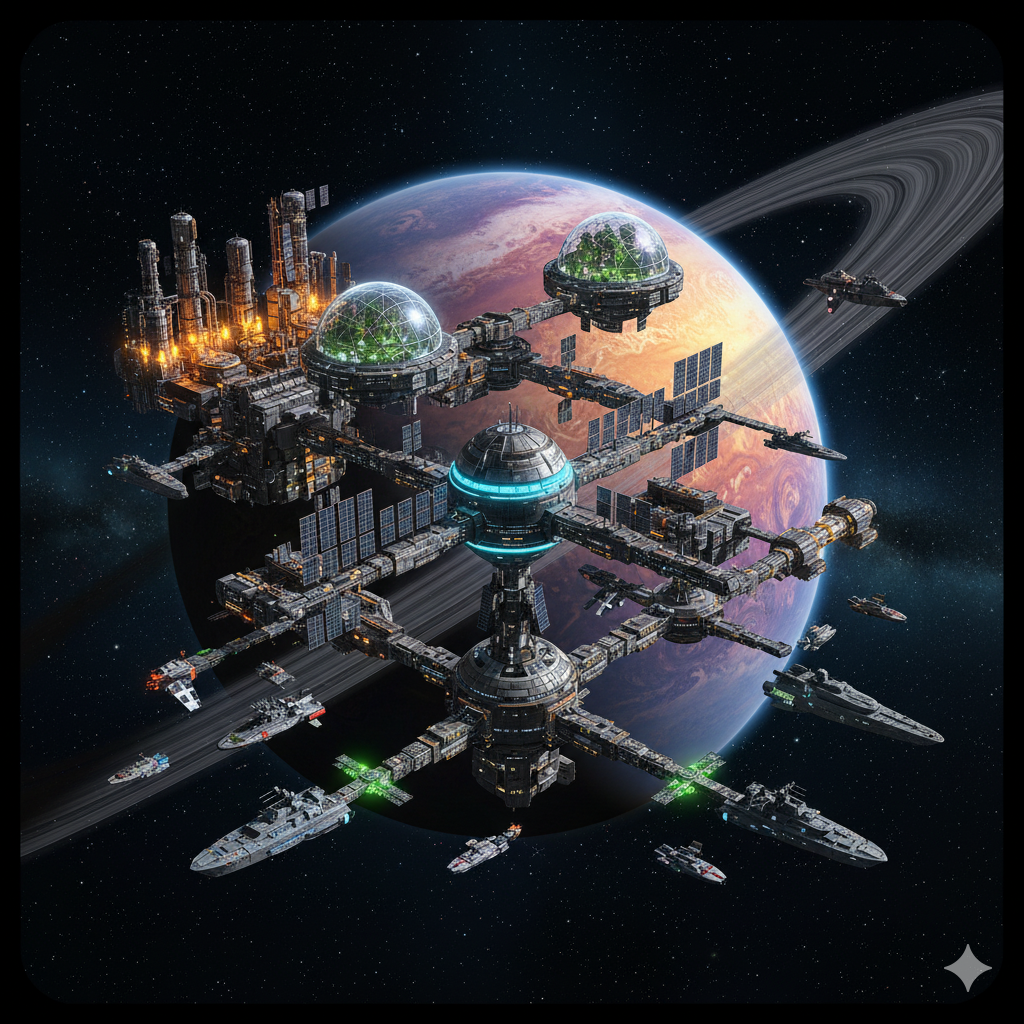
Starbases are modular space stations you can construct and manage. They serve as permanent bases of operation in space.
At present they are one of the best thing a Venture can do: a single player cannot build a Starbase directly he shall first make a venture and then the Venture's members can build one: and it is not an easy process: it will involve the effort of many people at once and will be expensive and time consuming.
However, once a Starbase is built, it can provide great benefits for the Venture and its members.
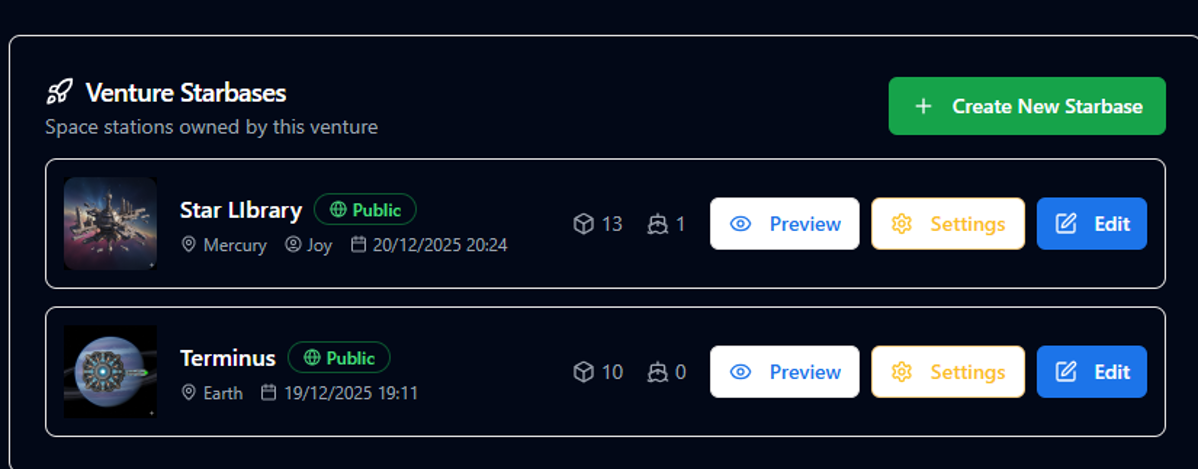
So from the Venture page, you can see the list of already existing Starbases and create a new one, the CREATE button is available only to directors or higher roles, here:
Starbase License
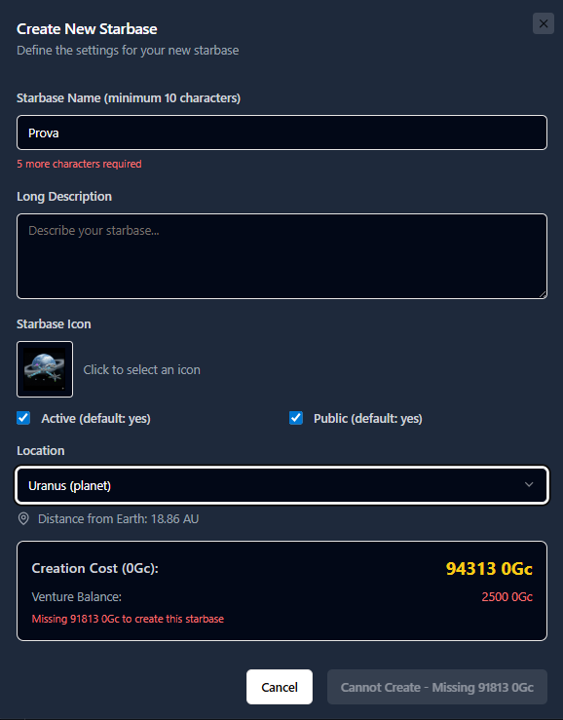
In order to put a Starbase in a planet orbit, your first need to purchase a sort of licence. You can specifify in the creation panel here the name, description, icon and Location. The initial cost spans from a minimum of 2500 0Gc for a Starbase around moon, to over 100000 0Gc for far away planets. The cost depends from the distance from sun.
Once you completed the licensing process then you can start buiding.
Starbases Modules
Starbases are composed by pre-built modular structures that you can find available at any HQ Building Bock store. In the future, users by will able to build their own standard and custom modules too (to be implemented with crafting).
Look what is available in the Building block store.
All the modules that have the subcategory called "SB....." are good for starbases. The first one to use is a Power Modules that will deliver the necessary power to the Starbase:
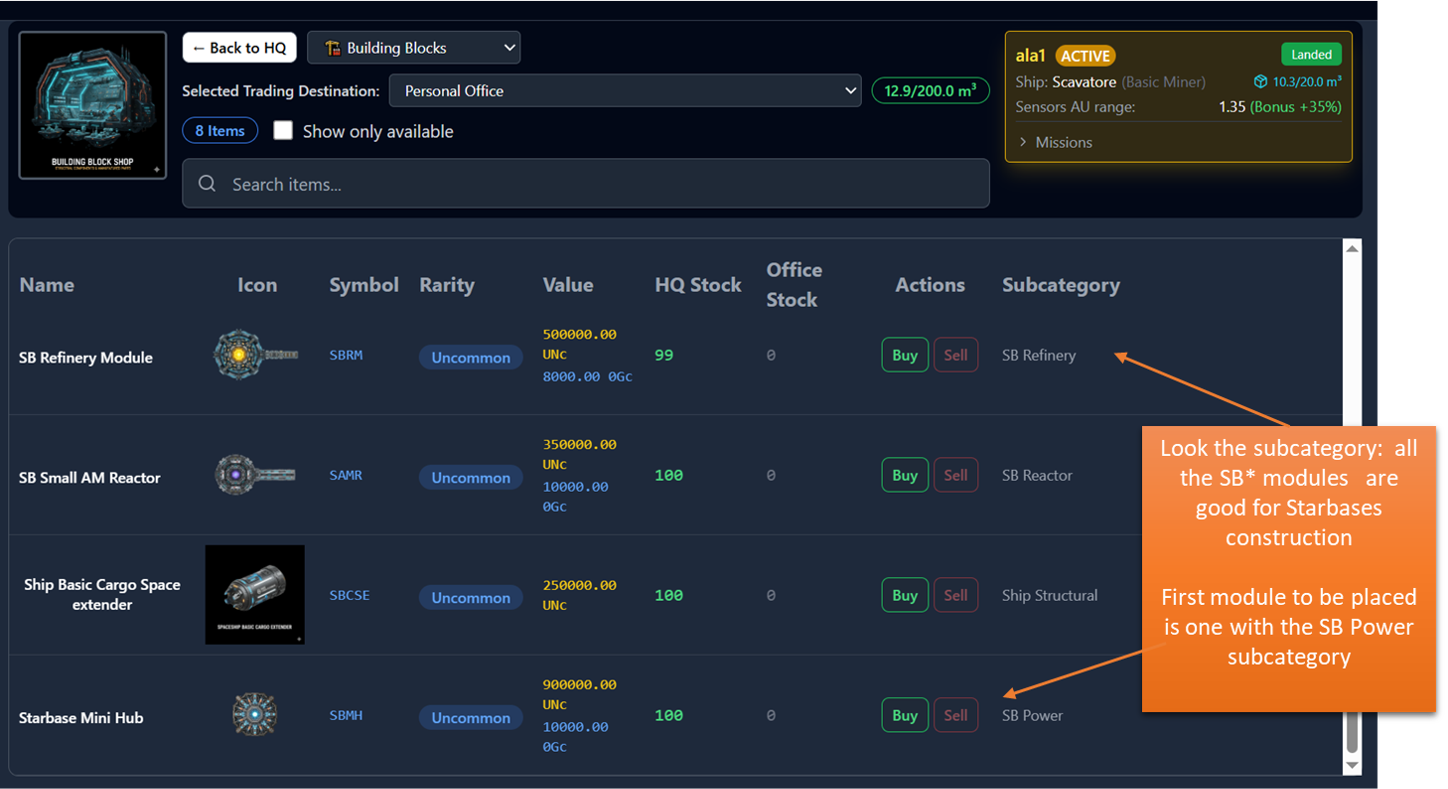
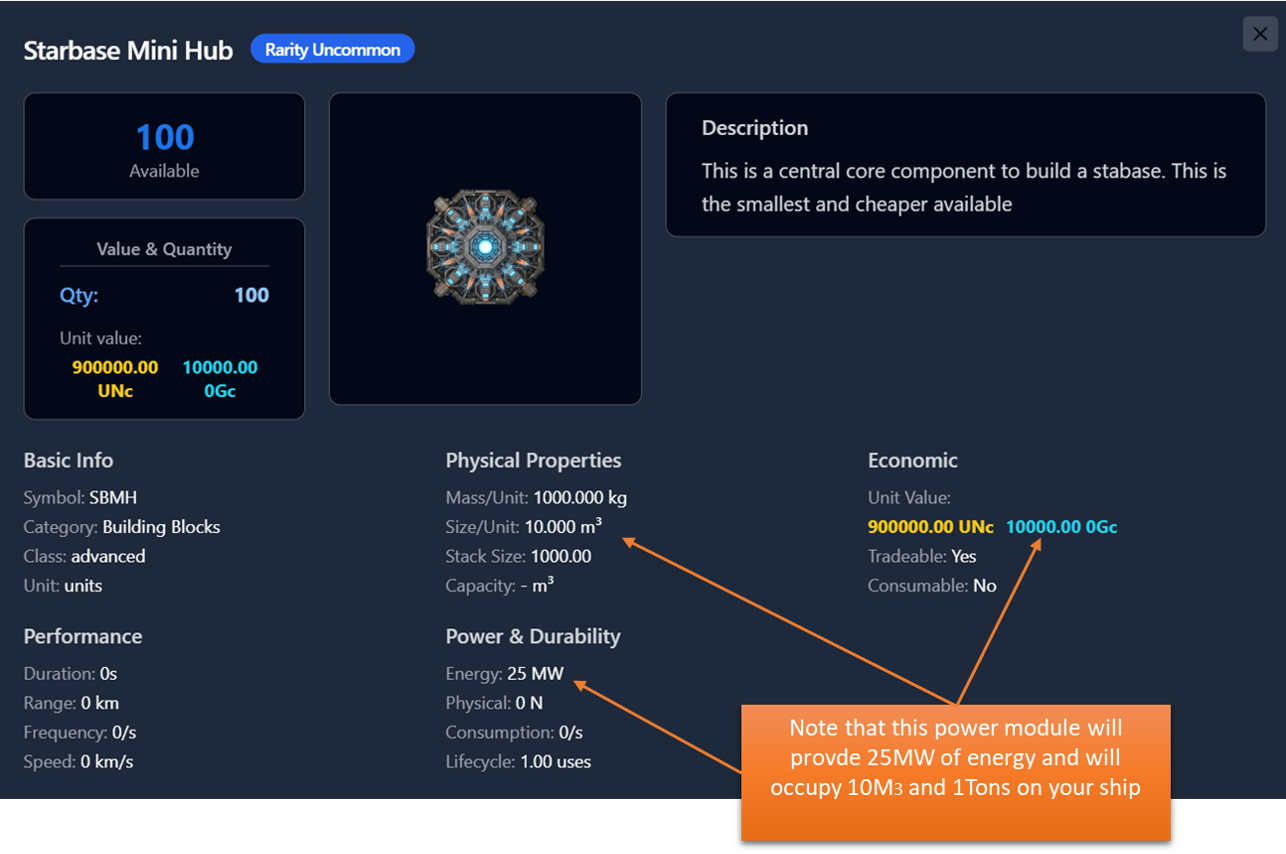
Click on the "Starbase Mini Hub" name to get the detailed item window.
You can see how much energy will provide, the cost and the space and weight. These two elements are quite important since, after you buy the modules you shall put them in a Spaceship cargo big enough to store them and transport to the desidered orbit. Also the weight will increase your ship fuel consumption.
Starbases Construction
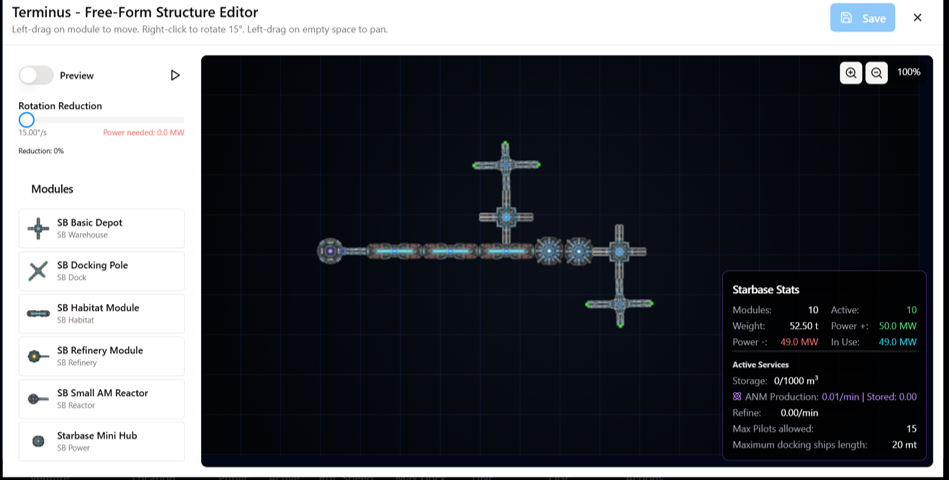
So, to start building, you shall have bought the modules, put in one or more ships, and brought the ship to the planet orbit where you have the license. At this point You can click the Starbase EDIT button in Venture page, and you will end up in this Editor page.
On the left you have all the modules available from your ships in orbit: you can click on a module and place in space. Right click to rotate it. Modules shall be placed near each other.
First module to place is one or more power units. The Starbase card on the right will show you the starbase characteristics as long as you proceed in adding or removing module. If power is not enough you can turn on and off individual modules depending on the services you want to activate there. If you have extra power you can use it to Slow Down the star base rotation ( top left slider, the rotation is needed for the Power modules to operate properly).
Once you save, your modules will be permanently removed from your ships and put i space and your first Starbase is Live!
You can edit its layout at any time.
Specially important is the location of the Docking Platforms (the green dots of the docking modules) because only at those points ships will be actually able to doc.
If you add a Storage module and an Antimatter reactor too, the starbase will automatically start to produce antimatter and store it in the depot and will be available to anyone docked at the starbase.
Starbases Docking and services
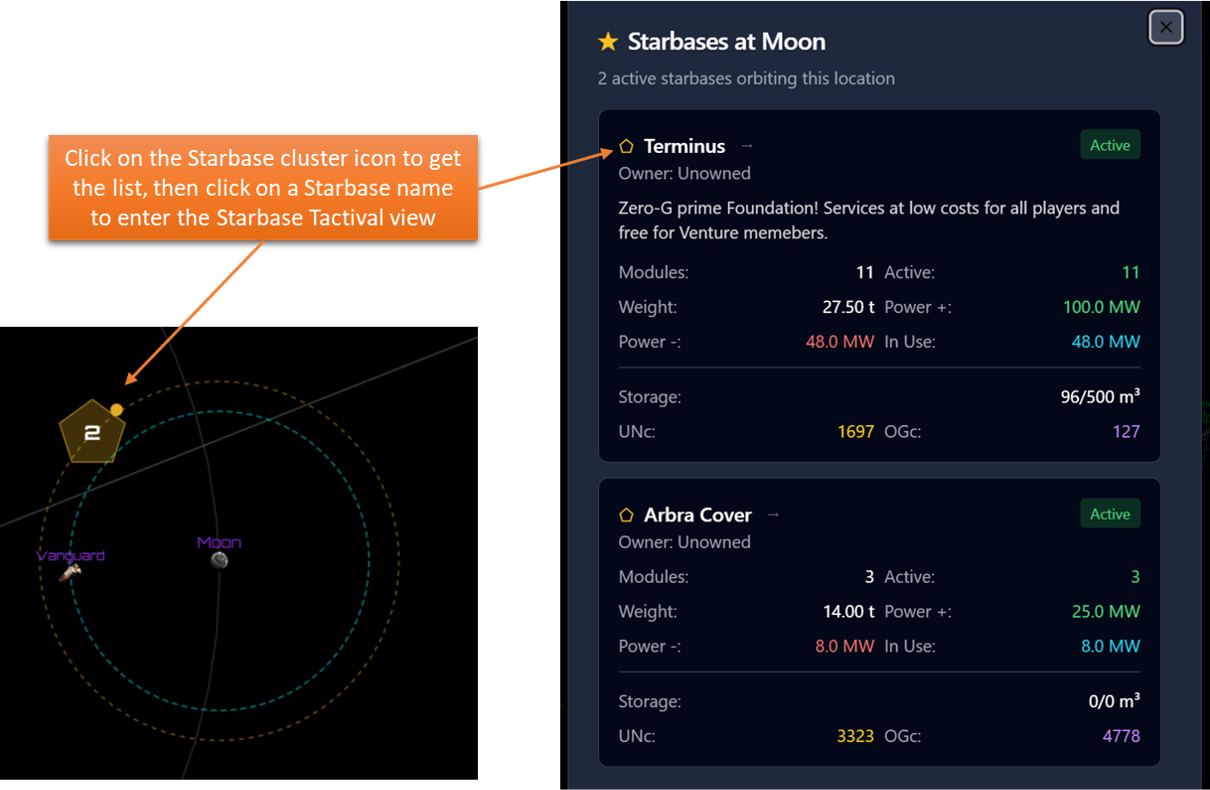
There are several ways to dock at a Starbase, the pre-requisite is that your ship shall be in the same orbit of the starbase. Click on the Starbase cluster to see the list of available starbases then click on the Starbase name to open the Tactical view.

- To Dock or undock select one of your ship in the drop down list and click the button.
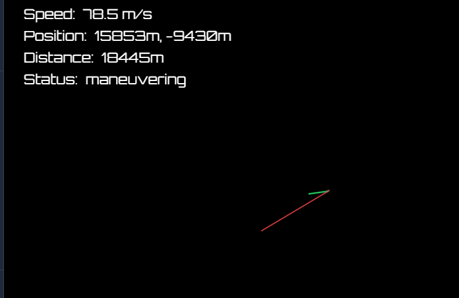
If you chose to "DOCK" you ship will appear at 30km from the Starbase and you can manully operate it by using the WASD buttons on the keyboard.
W - accelerate forward
S - accelerate backward
A/D - rotate the ship
Notice that you have two vectors shown: the green one indicates the direction you are facing with your ship, the red one the direction you are moving. The lenght of red ones is proportional to your speed.
To dock you need to get on one of the gree docking ports at a speed les than 20 m/s.
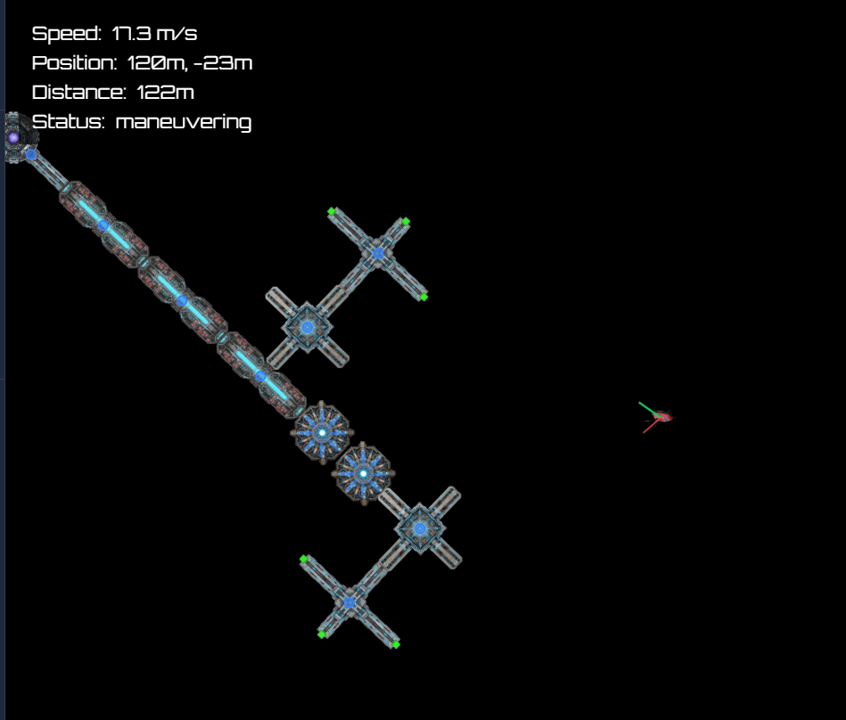
Manouver carefully, until you can get in the optimal position at very low speed
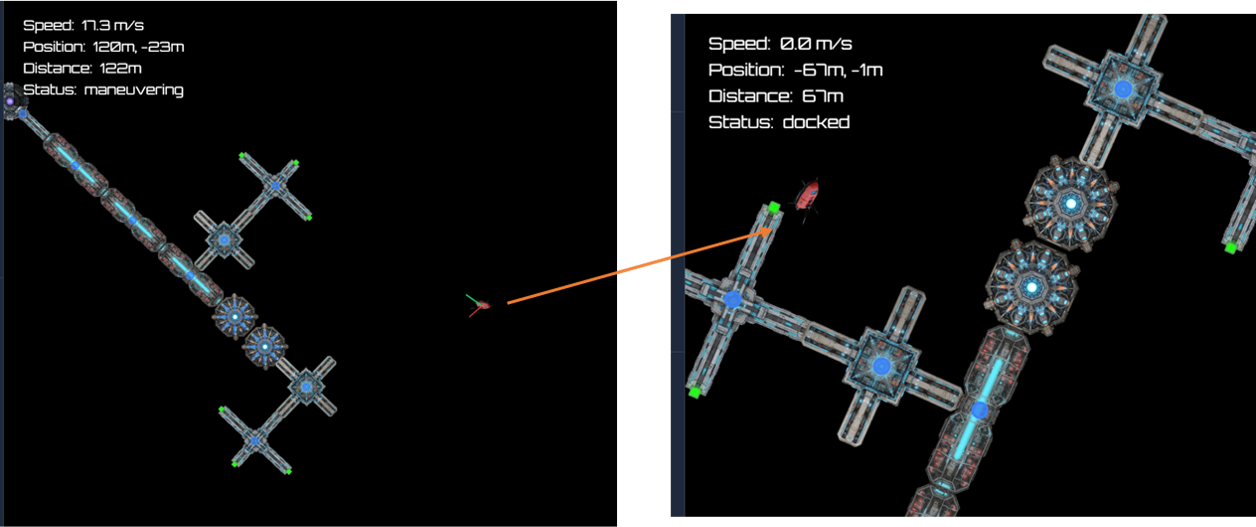
Once you Dock you can use the Store facility that is much like the HQ stores, so you can buy/sell resources, you can buy buy the antimatter generated by Starbases reactors. Note that any user with Director or higher role can buy/sell completely for free at his starbases. In the future more complex shop mechanism and resource productions will be implemented..