Your Personal Office
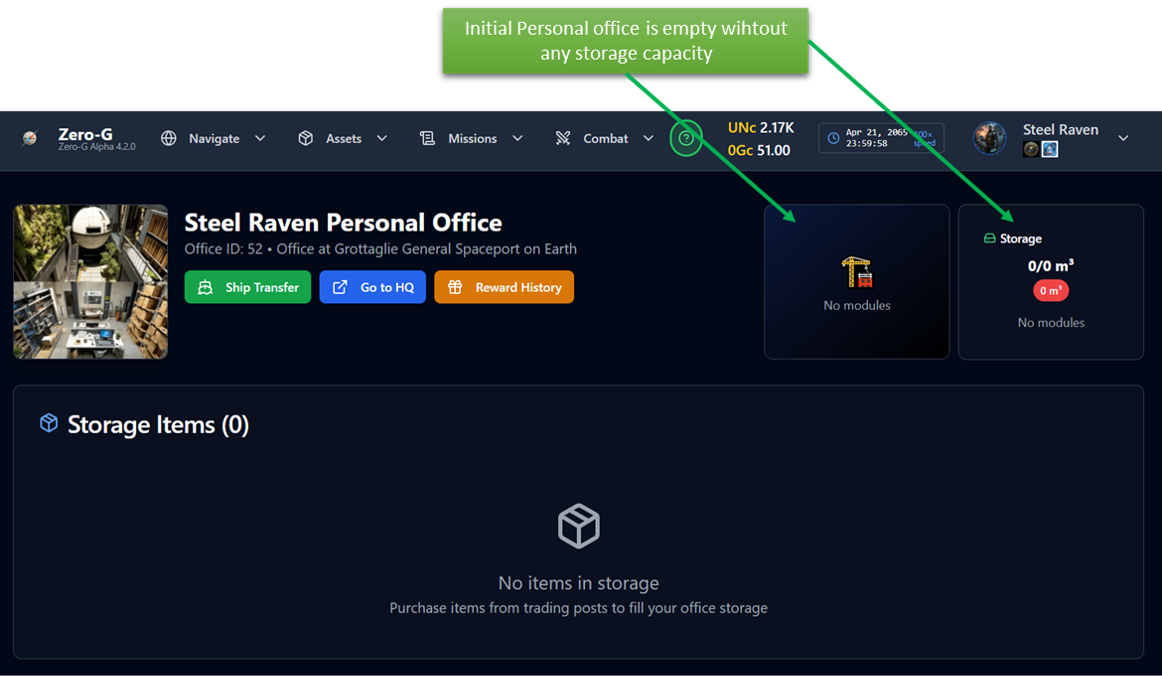
You can install a Personal office at any HQ where there is this type of service available.
Initially your office is empty so one of the first things to do is to go in the HQ store, Building Block, and buy a few BWPM modules.
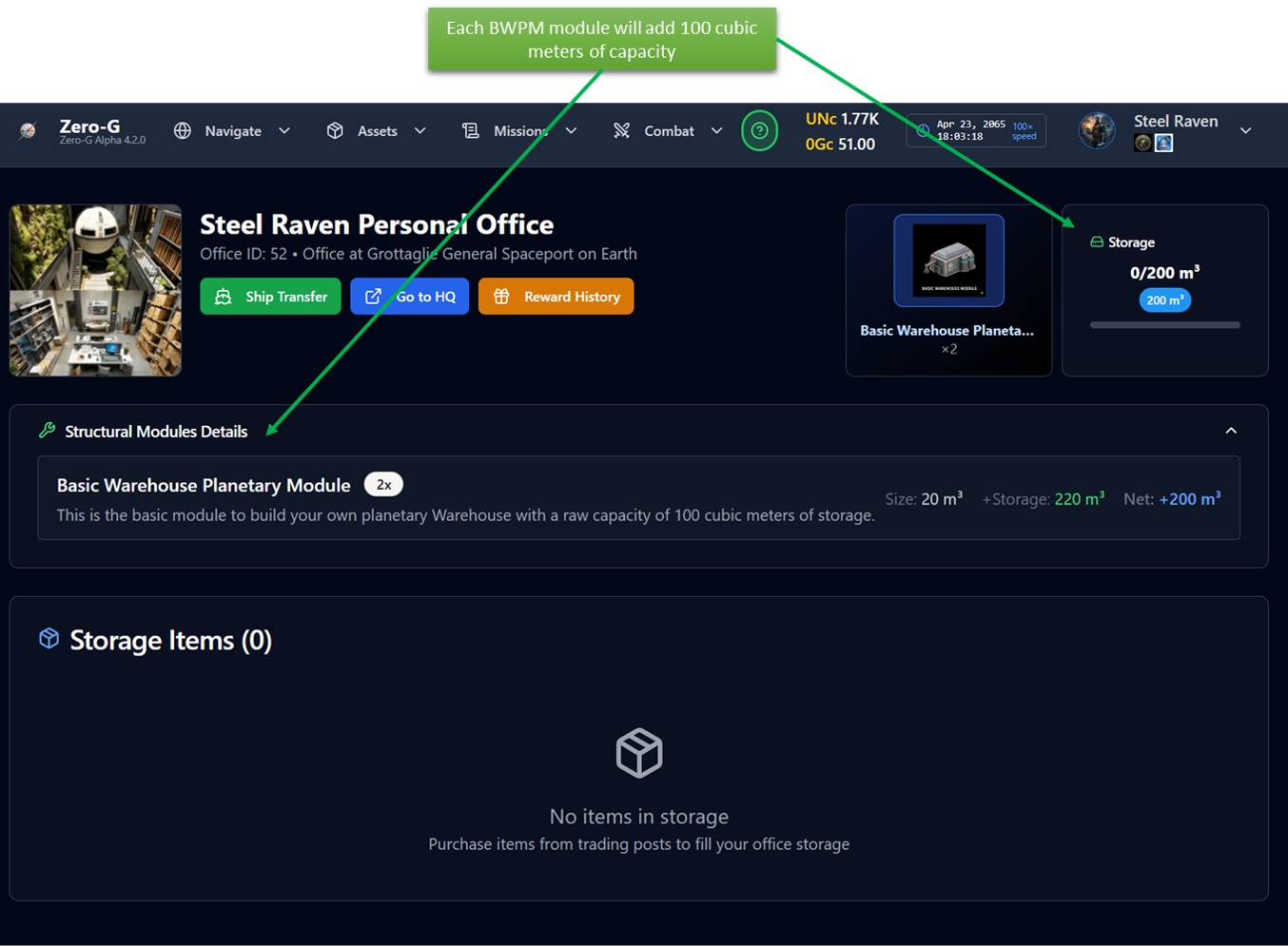
Each Basic Warehouse Planetary Module will increase your PO by 100 cubic meters of storage capacity and is very cheap.
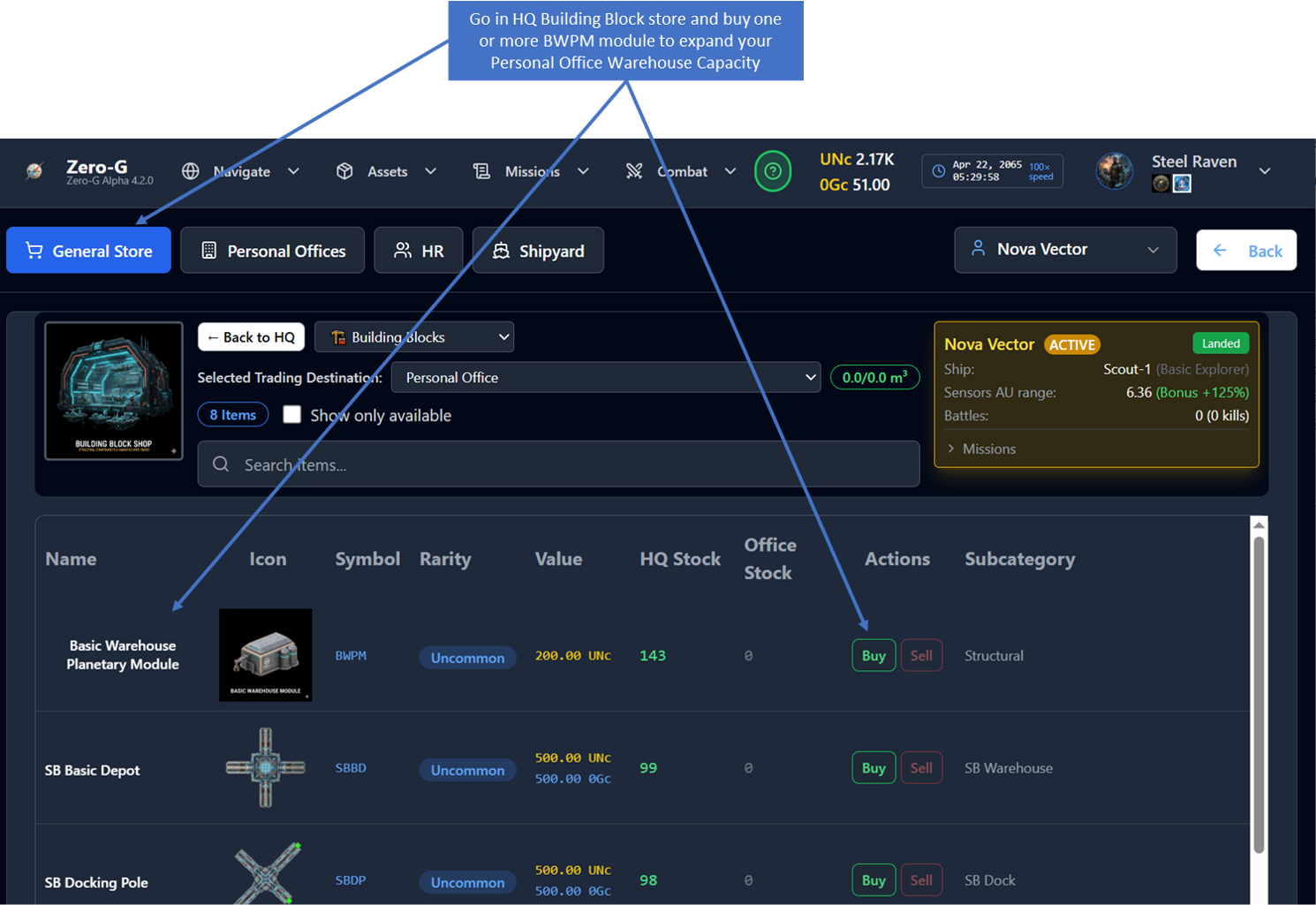
Each BWPM module will add 100 m3 of capacity to your office
Many functions are available in your PO, make it big when you have enough money
In particular remembemer that all your Chests from daily gift, offers etc... are stored here and you have to open this page to be able to redeem them (see the help of the Dashboard page for details)
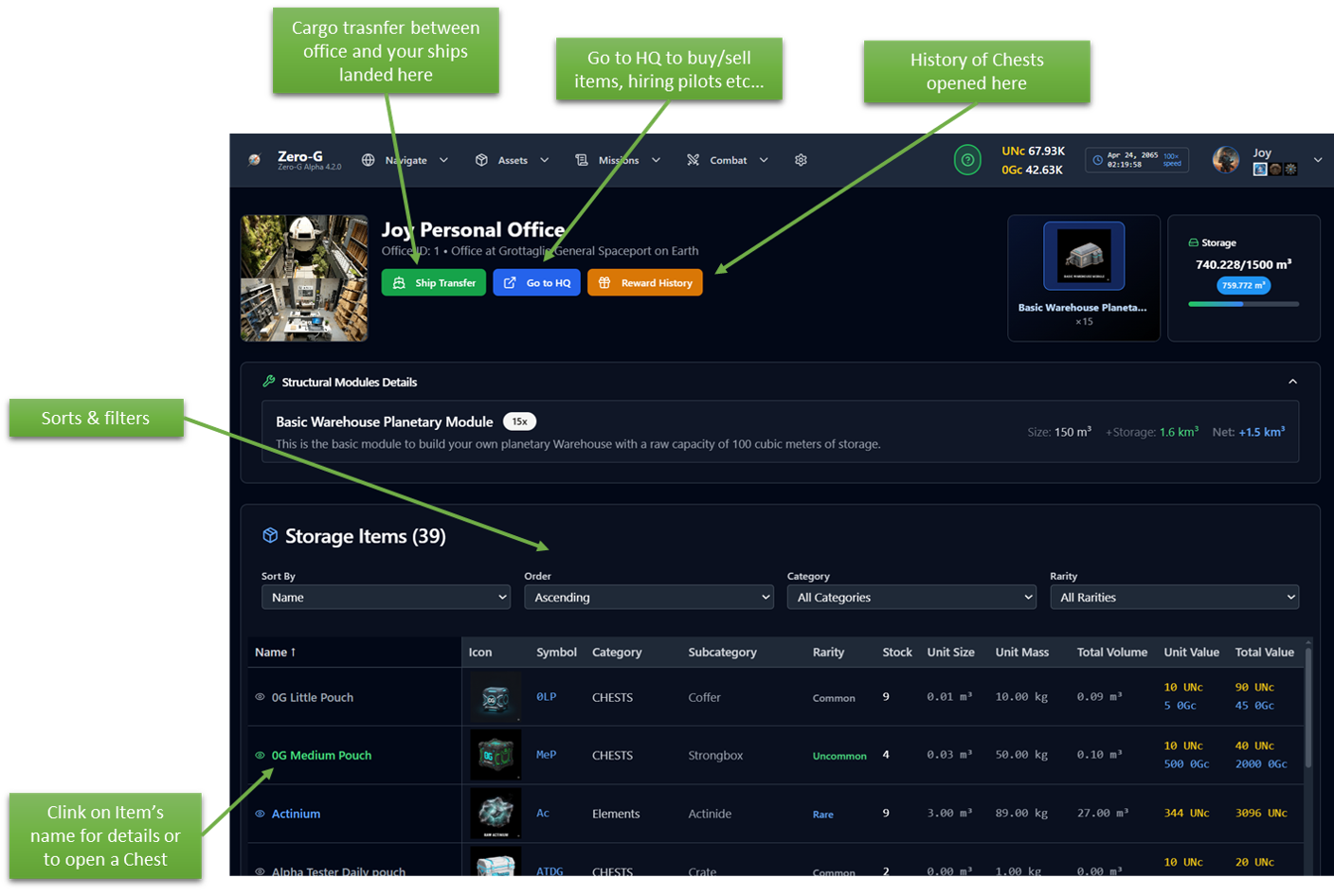
You can view all items stored in your office, organized by:
- Name and description
- Quantity and storage space used
- Rarity (Common to Legendary)
- Value in Universal Credits (UNc) or Zero-G Credits (0Gc)
Each office has limited storage space measured in cubic meters (m³). Monitor your capacity bar to avoid running out of space.
Reward History
Track rewards you've received from completed missions and activities at this office.
Cargo Transfer between office and ships
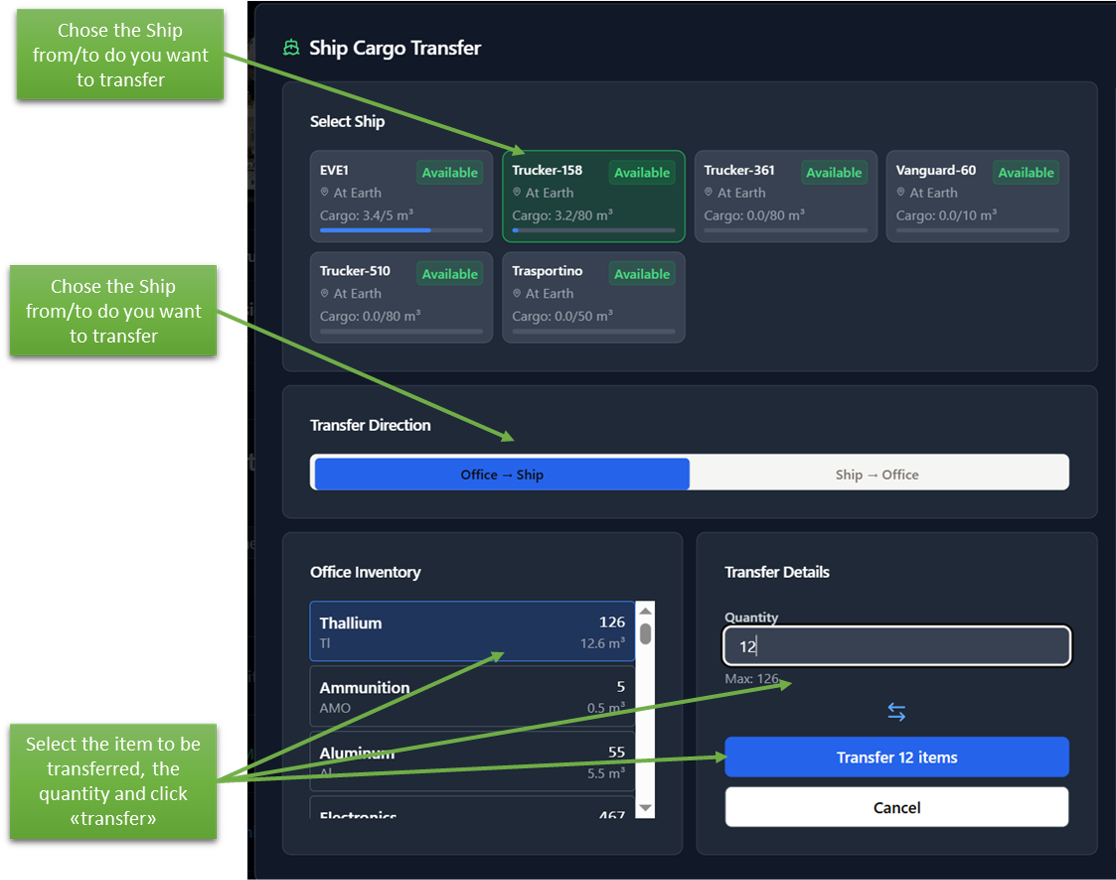
When your ship is landed at the same location as your office you can:
Click "Cargo Transfer" to open the transfer dialog
Select items and quantities to move
Transfer between office and ship in either direction
Ships must land at the office location to transfer cargo
Structural modules are shown separately from regular items
Click any item for detailed information