Mission System
4. Recap of a Mission Workflow
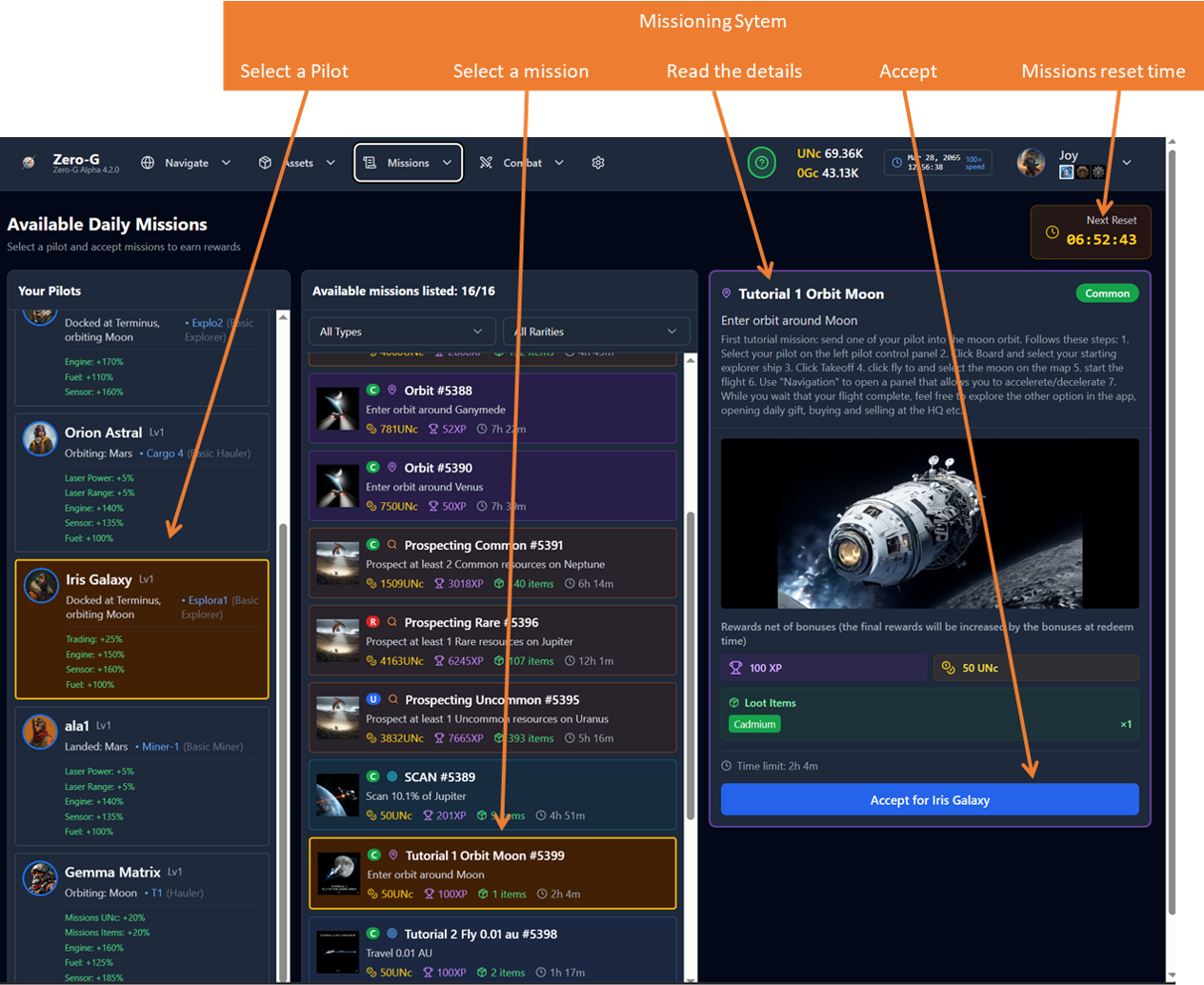
Missions are tasks you can accept to earn rewards. They range from simple "fly to" to complex multi-step operations. For the moment only very easy missions are implemented, however some can be very far away, so be careful and read well the descriptions before accepting them.
Let's have a look at how the main missioning interface works:
Mission Types
At the moment there are two main categories of missions implemented: Daily and Tutorials.
It is reccommended that you start from the Tutorial missions that you can filter in the top page.
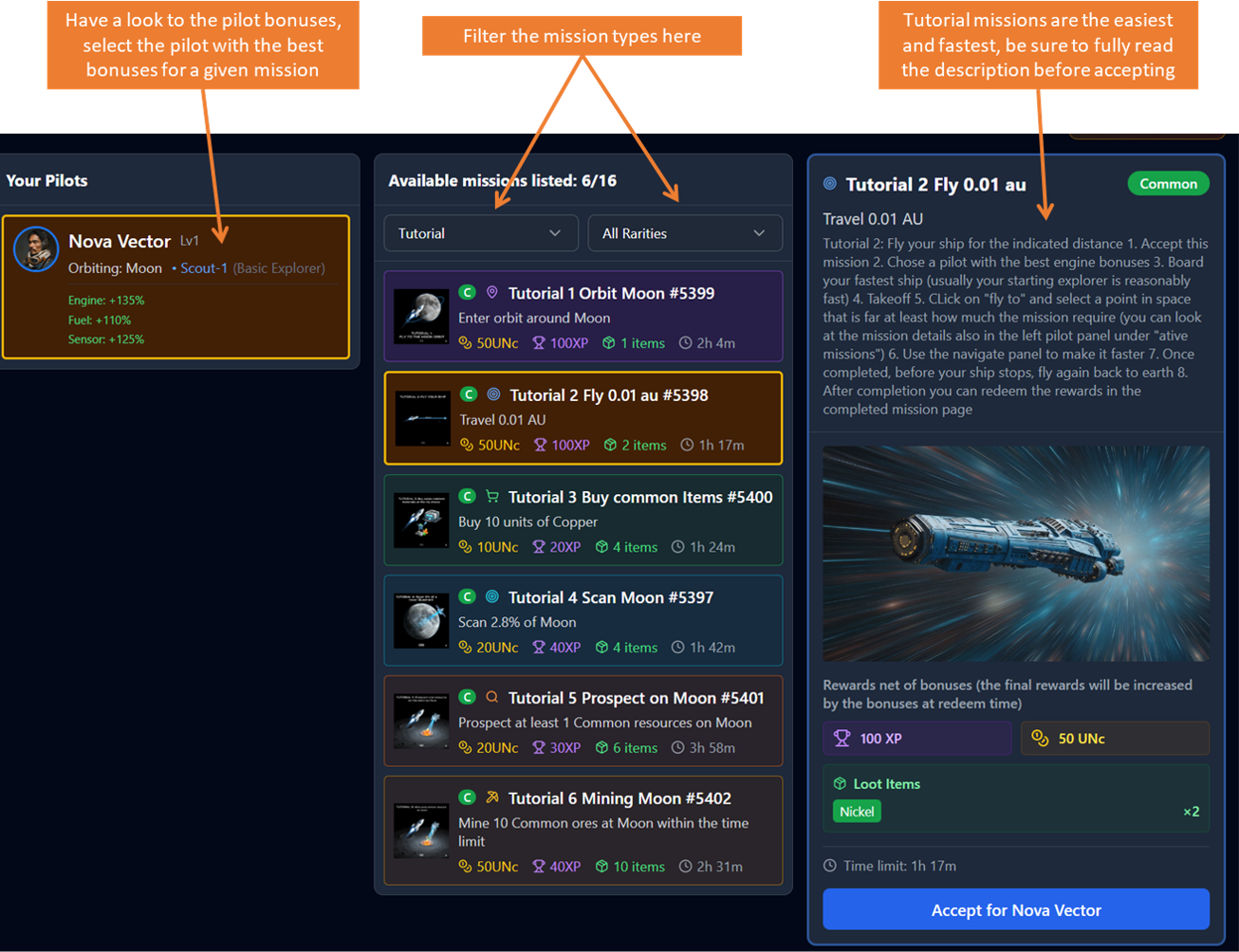
Note that:
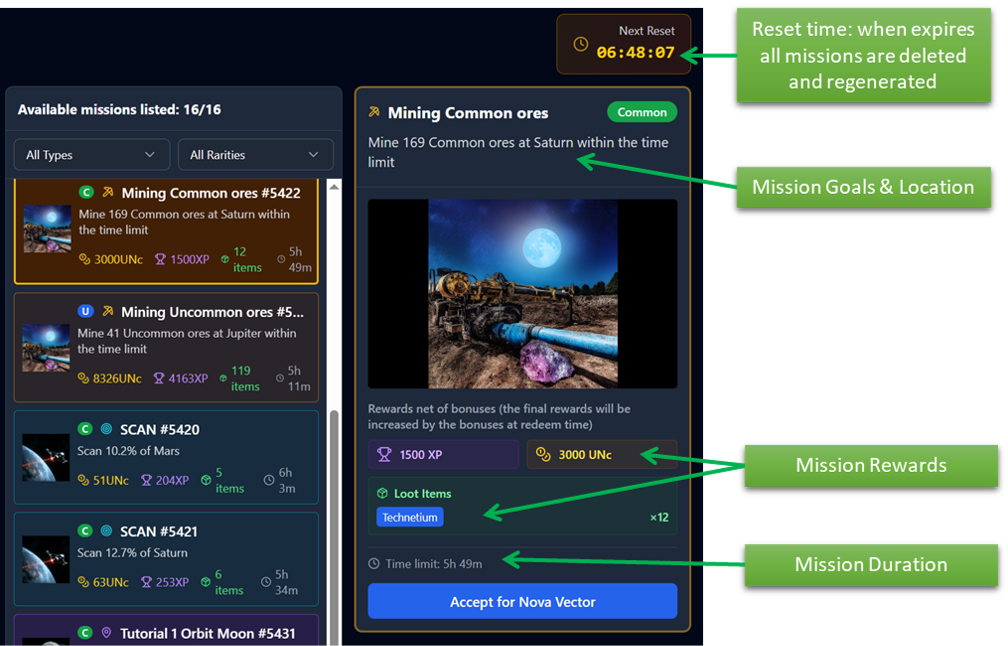
1. Missions have a reset time shown in top right of the page: any mission in progress or completed but not redeemed will be deleted at that time
2. You can accept all missions you want at once at any time for any pilot
3. To successfully complete a mission you need to complete the mission goal(s) within the time limit foreseen by each one
4. Before accepting be sure to check: the mission location (and distance from your pilot's ship), the mission specific requirements (e.g. to mine an uncommon material you will need a specific mining tip on your ship and a deposit location that has been already discovered), the reset time (the mission will be deleted when the reset time expires), the mission time limit (this time starts decreasing as soon as you accept the mission), and the mission rewards.
5. If you don't complete the mission on time, there will be no penalty anyway
Mission Tracking Progress
Active missions appear in your mission tracker. Progress updates in real-time as you complete objectives.
You can see a detailed mission report in the page "Active missions" opened by the top Menu under Mission. Or a short view in several places like the one in the left pilot panel:
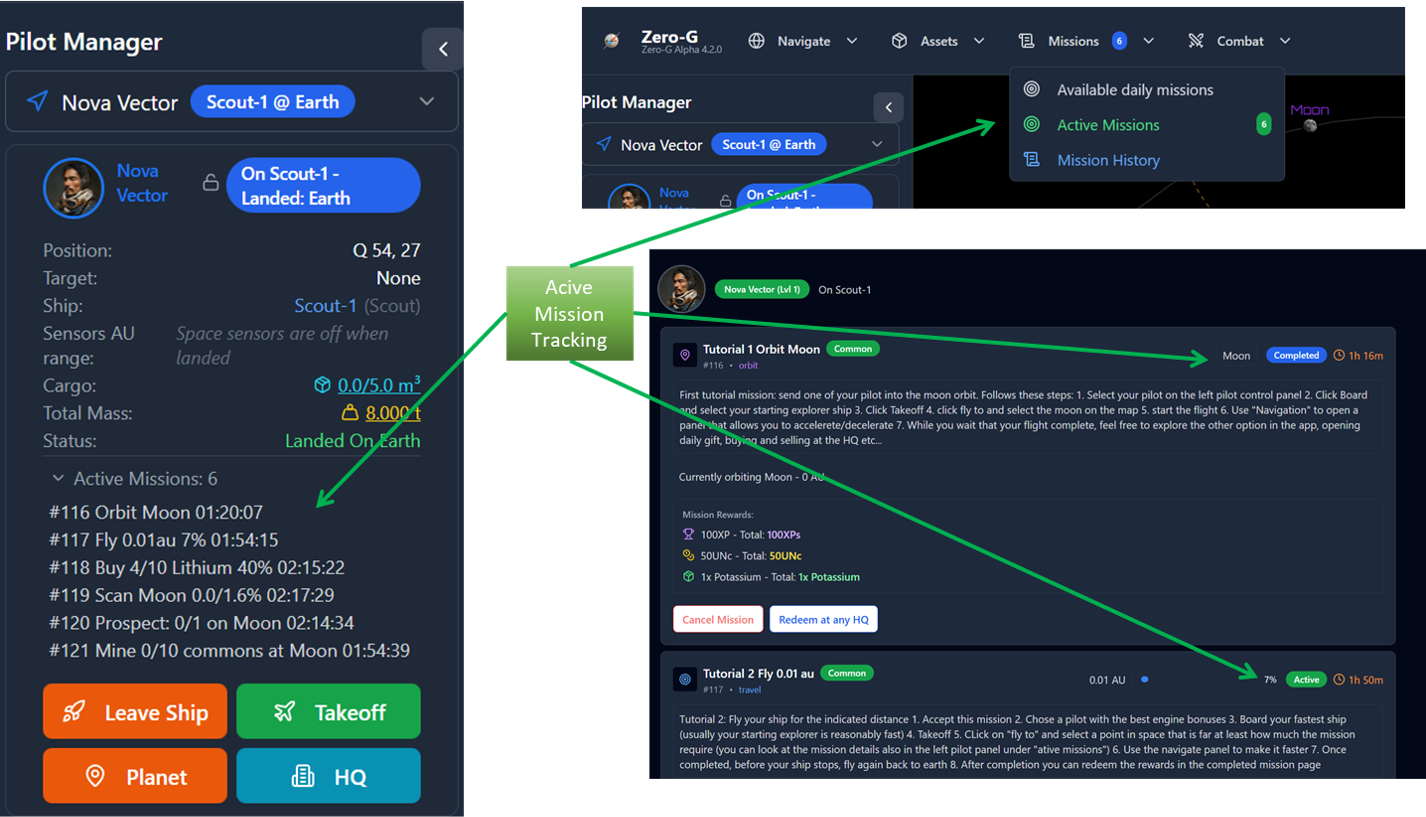
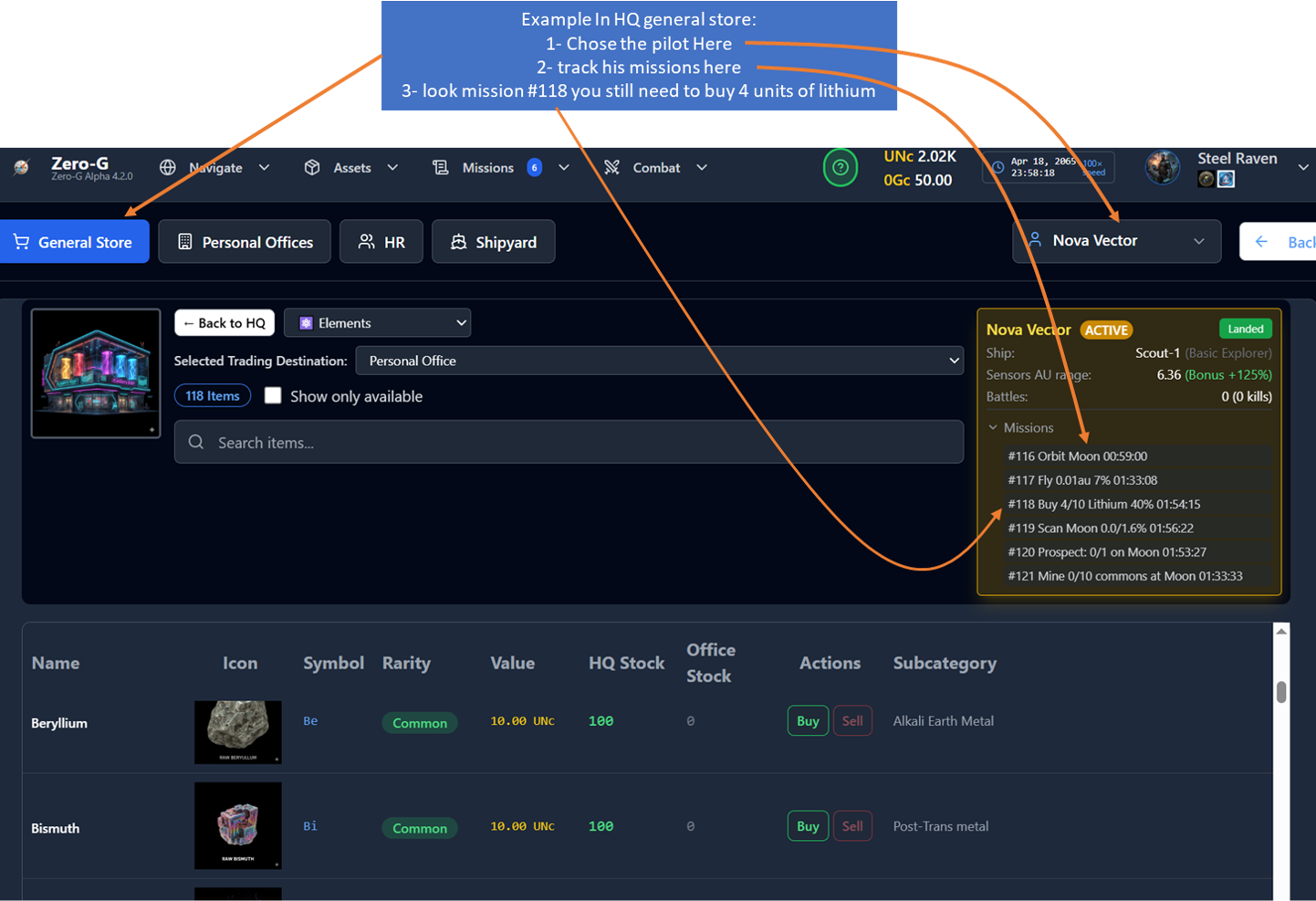
The compact view is useful during mission execution, for example for the buy missions you can see the recap in the Pilot card while buying at a store, look this example:
Mission Redeeming
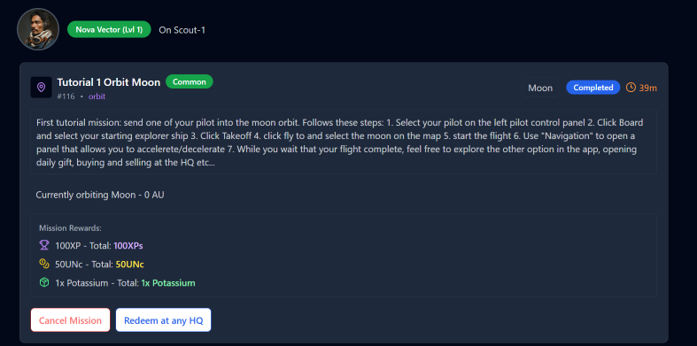
IMPORTANT: To redeem a completed mission your pilot Shall be landed ad any Headquarter, so plan well in advance the routes
Look this example on the right: you have 39 minutes to redeem the mission and, within that Time your pilot, shall land at any HQ, only afte that your Redeem button will be active.
Once you click on redeem you will get this nice confirmation panel.
- NOTE THAT:
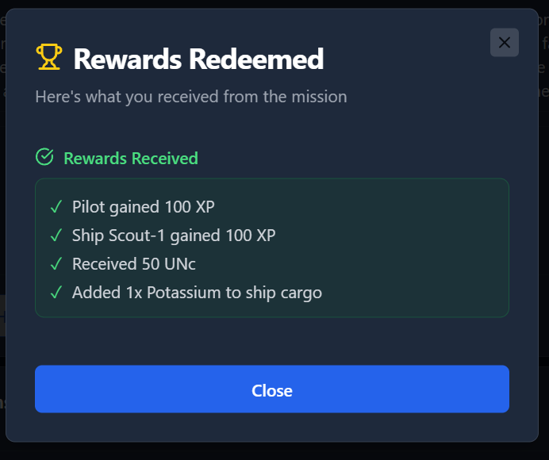
BOTH THE PILOT AND THE SHIP RECEIVES THE SAME Experience Points
(XPs can be used to increase Pilot and Ships stats or to speed up Scientific researches- cooming soon features)
REWARDED ITEMS ARE ADDED TO THE CURRENT PILOT'S SHIP CARGO
Be sure to have enough free cargo on the pilot current ship or you will lose some rewards
Recap of a Mission Workflow
1. Accept a mission from the missions board
2. Travel to the target location on the Solar Map
3. Complete the required activity (scan, mine, combat)
4. Return to any HQ and redeem your rewards